The Run Info Dialog
The Run Info Dialog is available when you manually trigger a run. While the run is active, it provides:
- Run status
- The index and identity of the csvpath that is active
- The line that is being processed and the total number of lines
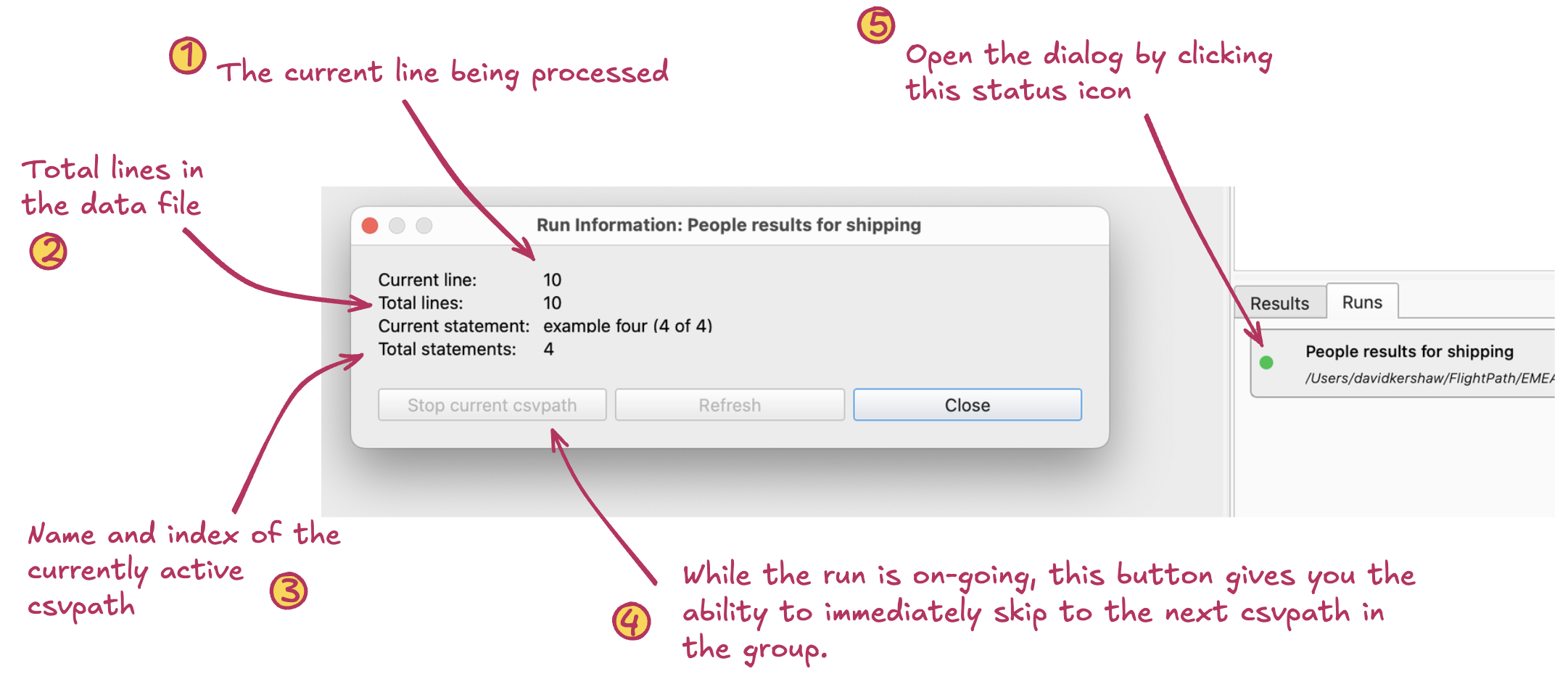
The Run Info Dialog gives you status information about a run, as well as offering early termination
- Current line. This indicator shows the current line being processed. Click
Refreshto update. - Total lines in data file. Gives the total number of lines in the file.
- Name and index of current csvpath. Names the current csvpath according to its identity and/or index within the group.
- Stop and skip ahead. Clicking this button immediately sends a stop signal to the currently running csvpath. To stop the run entirely you must click to stop each csvpath.
- Link to dialog. Click the status link – yellow while running, green when complete, red in error – to open the Run Info Dialog.