The Config Form
The config.ini file and variable substitution
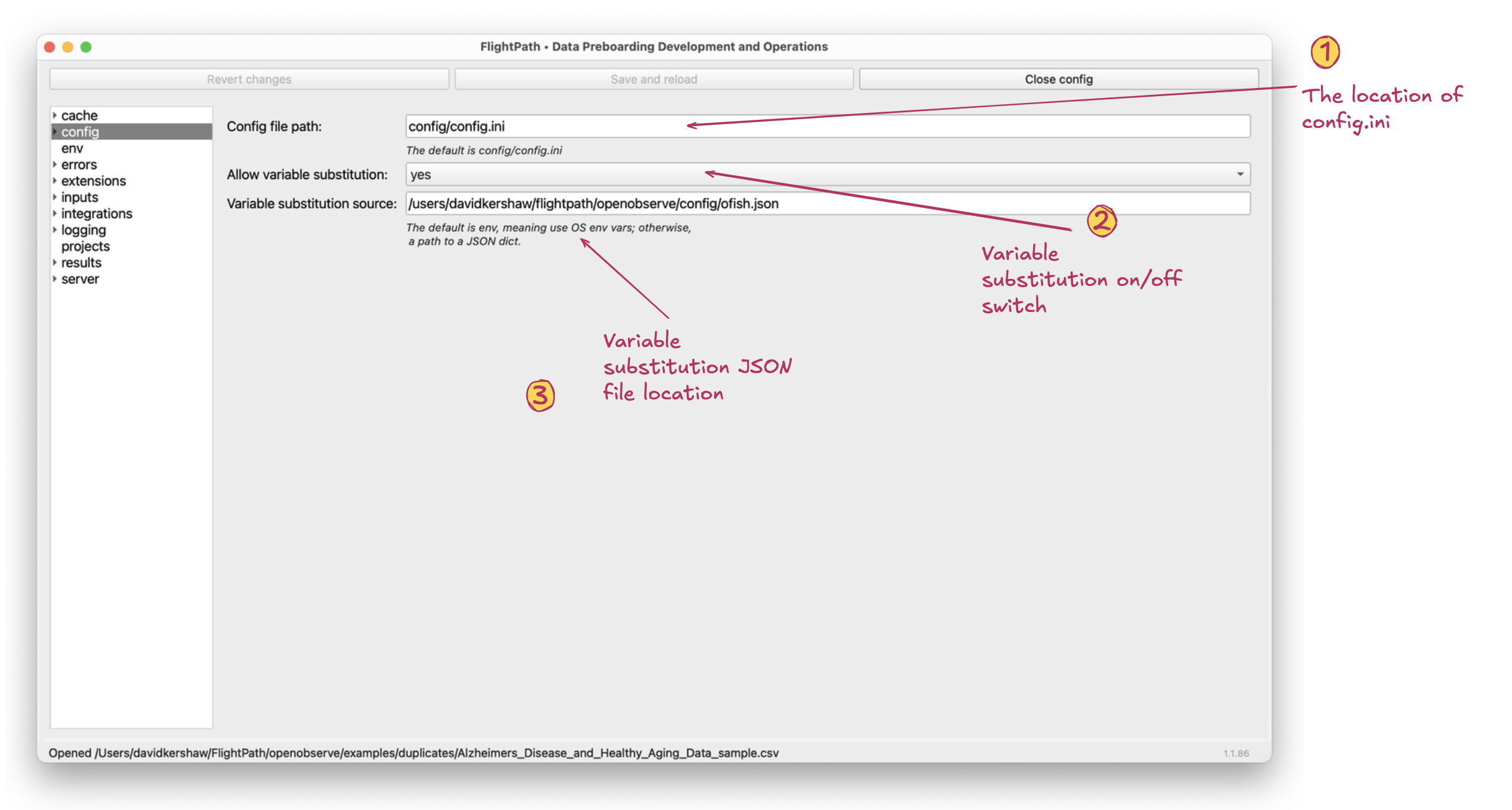
The config form
- Config file path. The config file you are editing through these forms is located at this path. By default it is
<project>/config/config.ini. With FlightPath Data there is usually no advantage to using another location.When you use CsvPath Framework programmatically there are times when moving the config file is useful. - Allow variable substitution. Variable substitution allows you to configure a setting in ALL CAPS and have that value become the value of an OS env var with the same name. I.e.
password=MY_PASSWORDwould setpasswordto the value of the OS env varMY_PASSWORD. - Variable substitution source. By default, when the field is
envor blank, variable substitution uses OS env vars. However, if you add a path to a JSON file with a dictionary structure the key-value pairs in the dictionary are used for lookups instead. FlightPath Server does not allow the use of OS env vars because it is a multi-project, multi-user system. On the server a JSON file is the only option.
Variable interpolation FlightPath Data swaps values in ALL_CAPS for the value of any environment variable with that name. In this case, environment variables include either the OS environment variables or the contents of a JSON file containing a dictionary. FlightPath will also interpolate any braces wrapped tokens in a variable value. E.g. the value "My {word} is named {name}" would become "My project is named Orders" if there were variables "word"="project" and "name"="Orders". If you need to include braces in a value that should not be used for interpolation, double each to escape them.