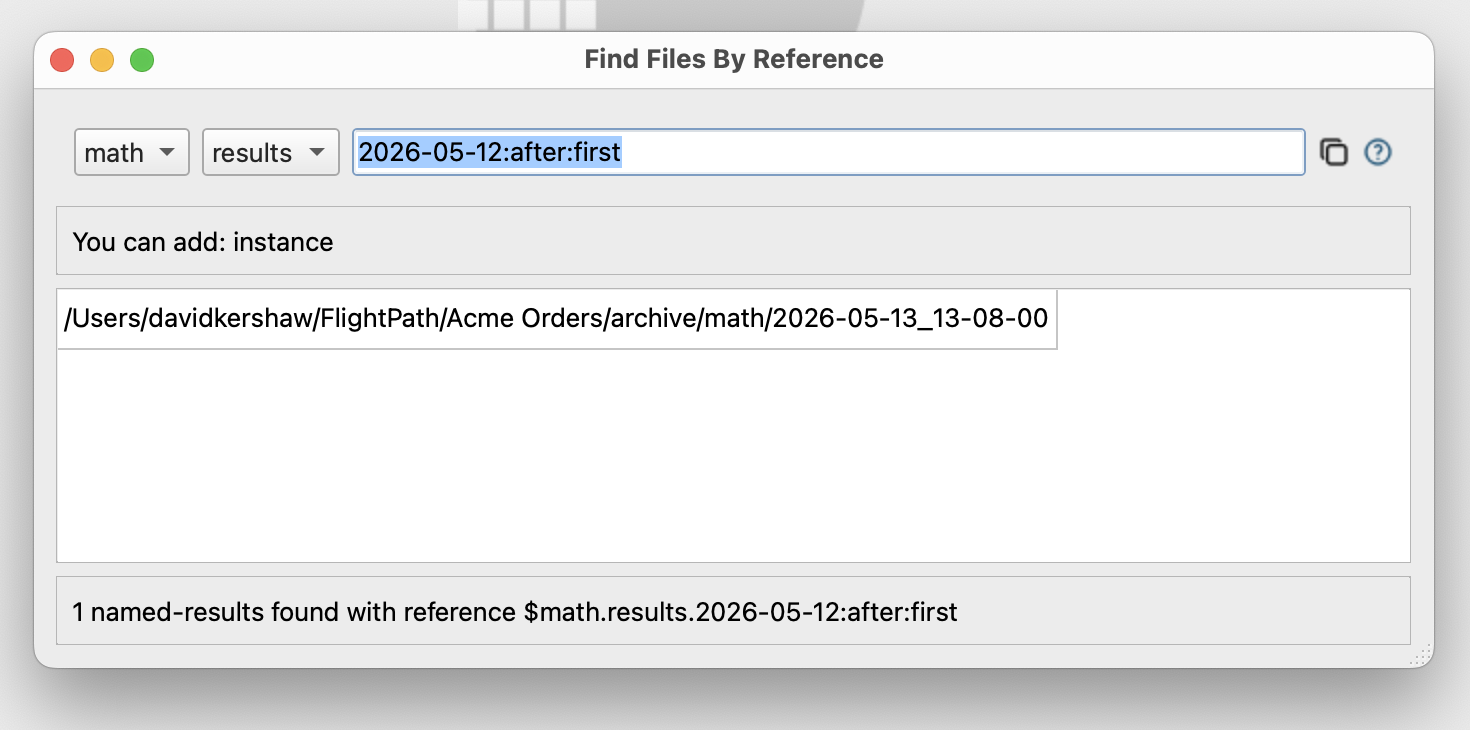
How To Find Results
You can find one or more run results by path or arrival date using the Find Data Dialog. The Dialog helps you build references and use them to access results. References are also used in rewind and replay runs.
A reference starts with a $ and looks like $schemas.results.2026-05-12_00-:after. The parts of a results reference are:
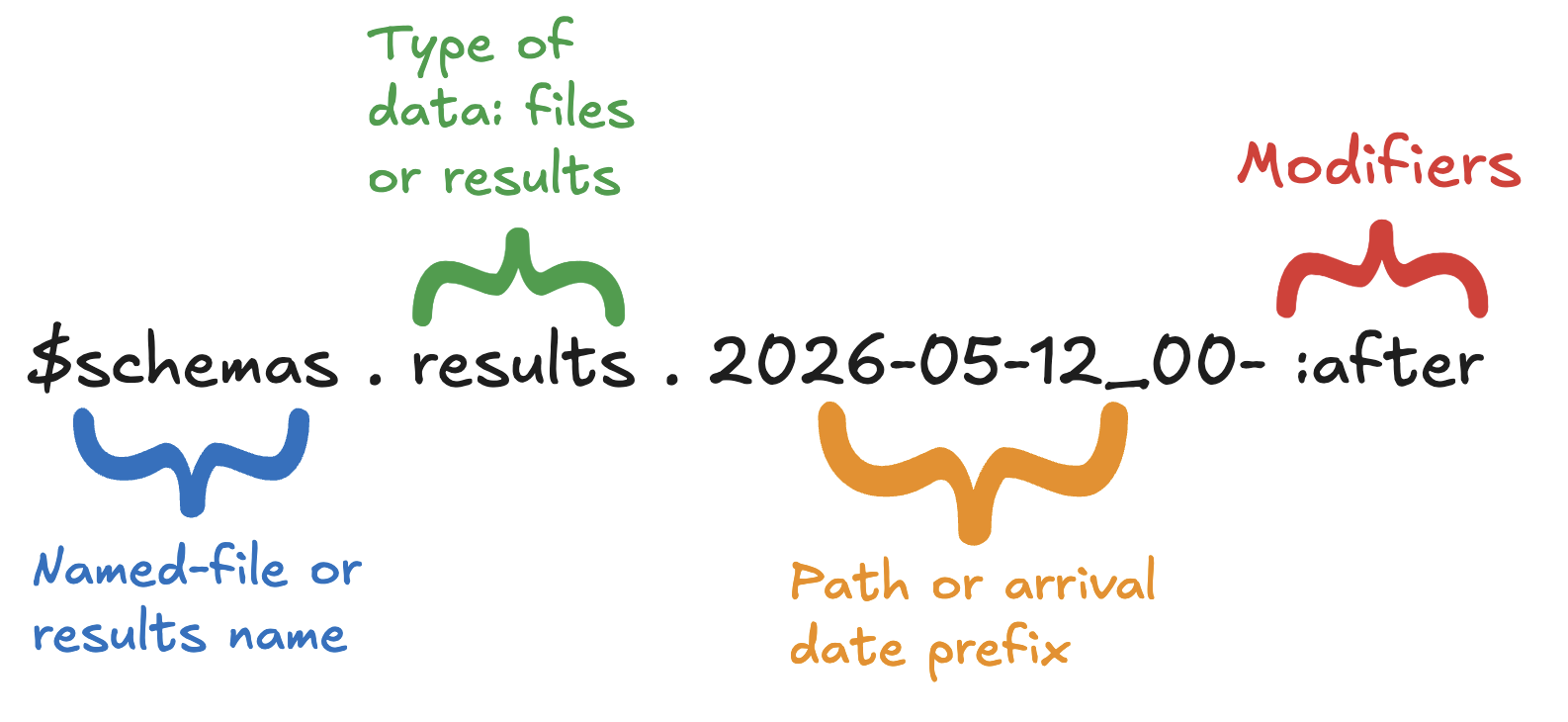
Learn about CsvPath Framework references. References are a useful capability for starting runs, finding data, accessing results, and other purposes. Learn more at https://www.csvpath.org.
How to do it
- Open FlightPath Data and do a run as outlined here
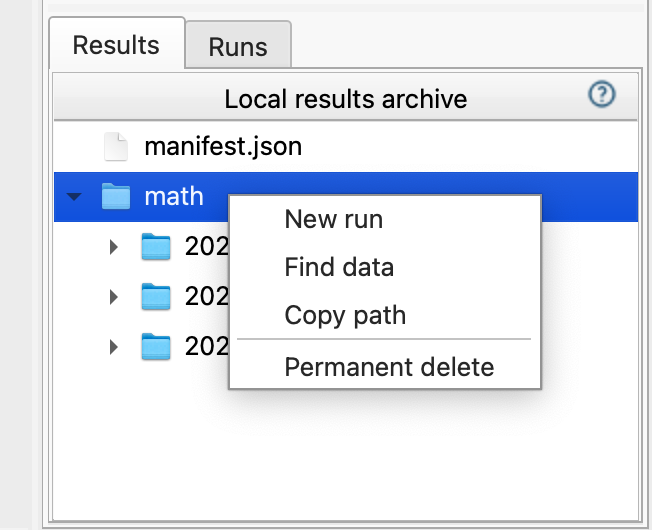
- In the results window on the lower right, right-click the
mathruns and clickFind data.
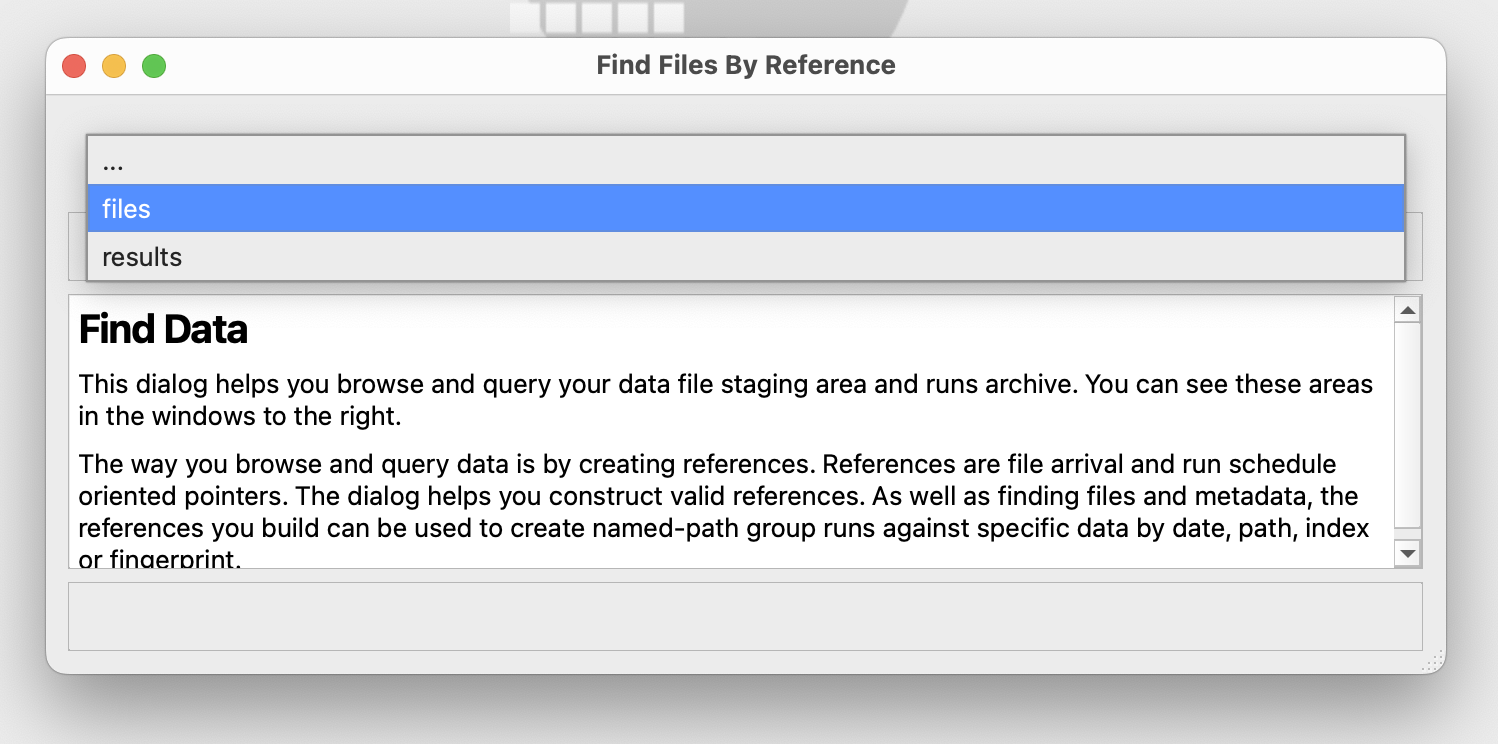
- In the Find Data Dialog’s drop-down select
results
- After the form changes to create results references, select
math
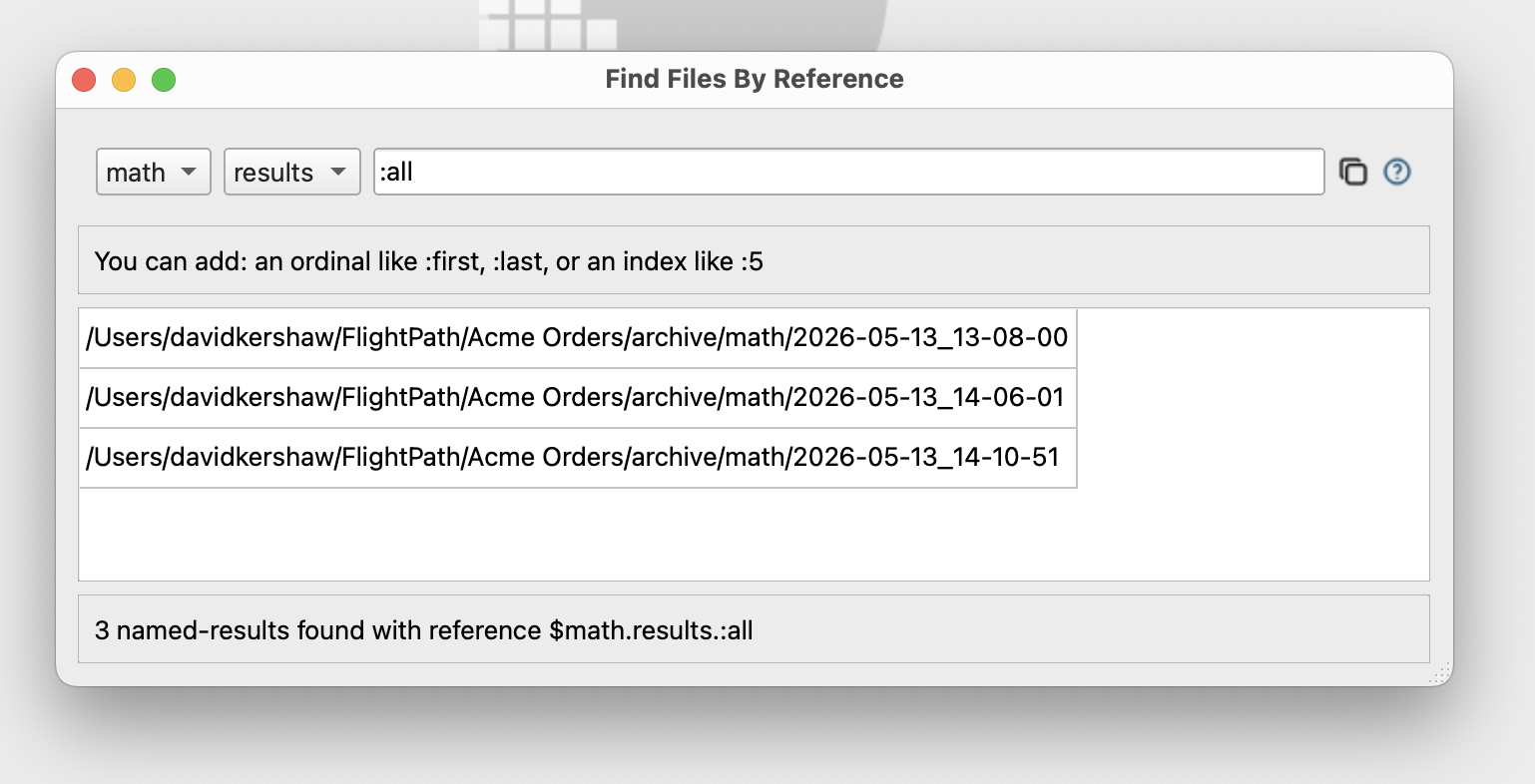
- The text entry box starts out with token
:allthat finds all the runs. - Enter
2026-05-12:after:firstto indicate the first run after May 12th. Notice that the reference box at the bottom of the Dialog shows$math.results.2026-05-12:after:firstas the complete reference.