How To Find an Explanation For Results
As you are developing a validation you may have questions about the results you are getting. There are multiple ways to get a plain English answer to why the results are what you see.
Learn about CsvPath Framework: Find lots more information and how-tos about CsvPath Framework development and testing at https://www.csvpath.org.
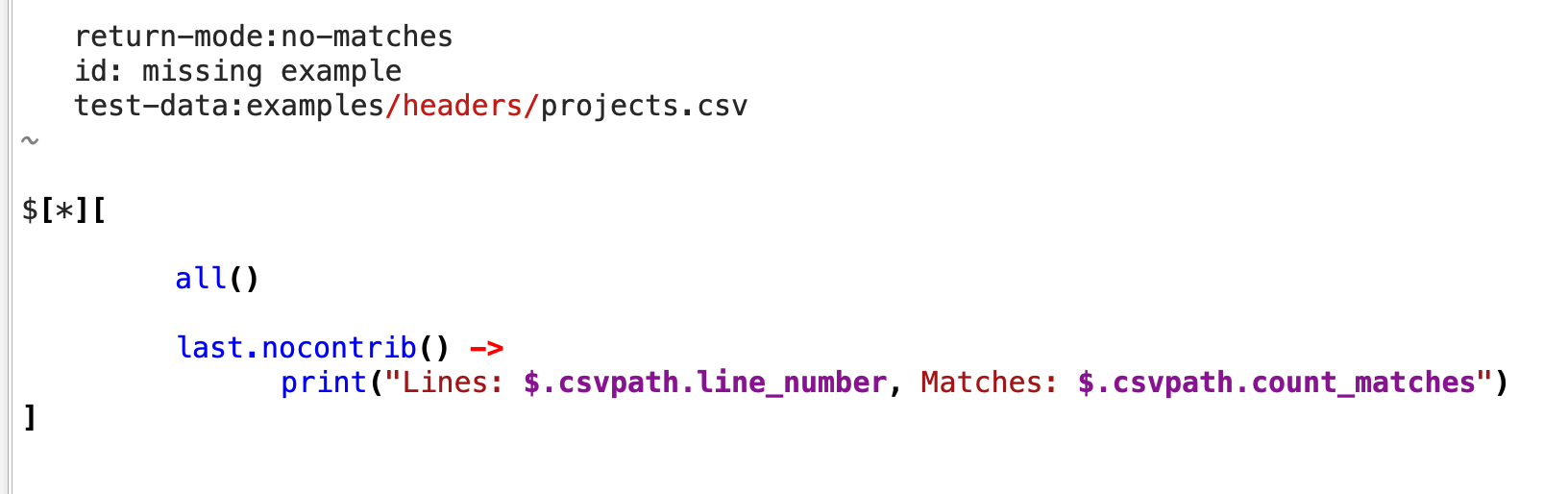
Here we’ll try a csvpath that could easily trip you up because it works in a way that isn’t often used.
How to do it
- Open FlightPath Data and open the
examples/headers/missing example.csvpathsfile - Click in the first csvpath and hit
ctrl-rto run it - See that several standard tabs open in the Help and Feedback area at the bottom center. These include a log tab, error tab, matches tab, etc.
- Click into the
Matchestab and see that there is one matching line
This csvpath runs against projects.csv, as you can see from the test-data: directive in the leading comment. projects.csv has 18 lines. You can see that number in several places, including: the context menu in the project files tree, the file info report (see the Data Toolbar File info button), and the file itself.
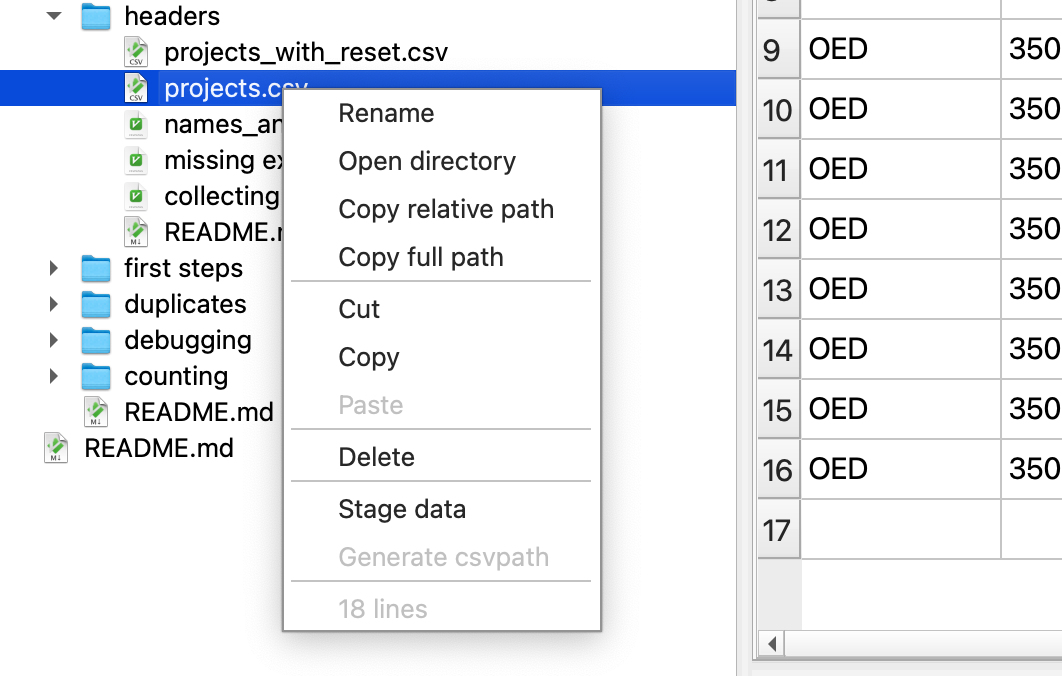
The csvpath seems to match all but two lines: a line that is empty and a line with a blank header. We skip empty lines by default, so shouldn’t we match 16 lines?
- In the Help and Feedback area, click on the last tab
What am I seeing? - Scan the
Detailed Run Configurationtable for the explanation ofCollect when not matched
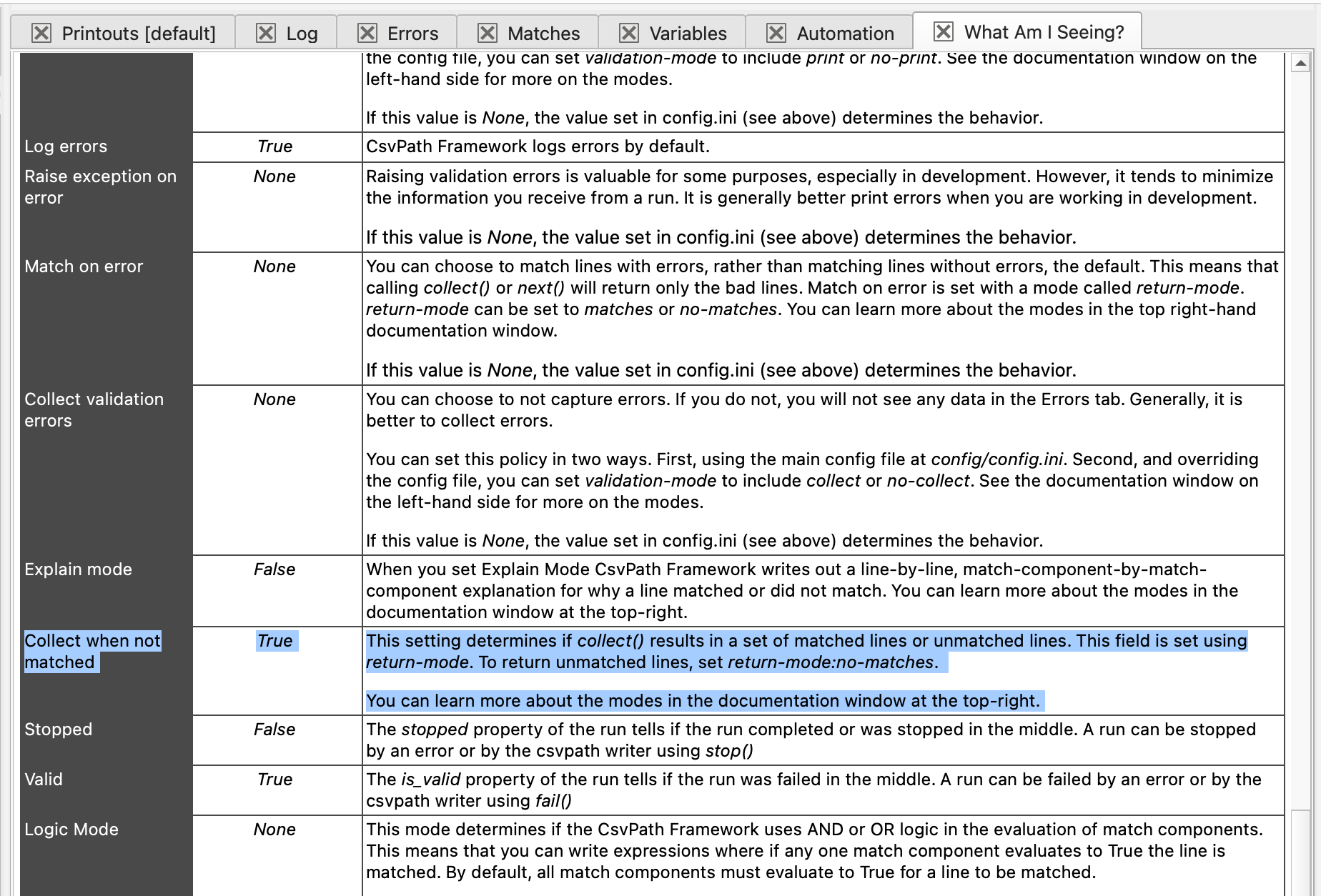
- The explanation tells you that using
return-mode: no-matchesresults in CsvPath Framework collecting the lines that did not match the csvpath statement - Look at the leading comment of your csvpath again and see that in fact
return-modewas set tono-matches, resulting in the one line result