The Integration Form
Configuring external tool integrations
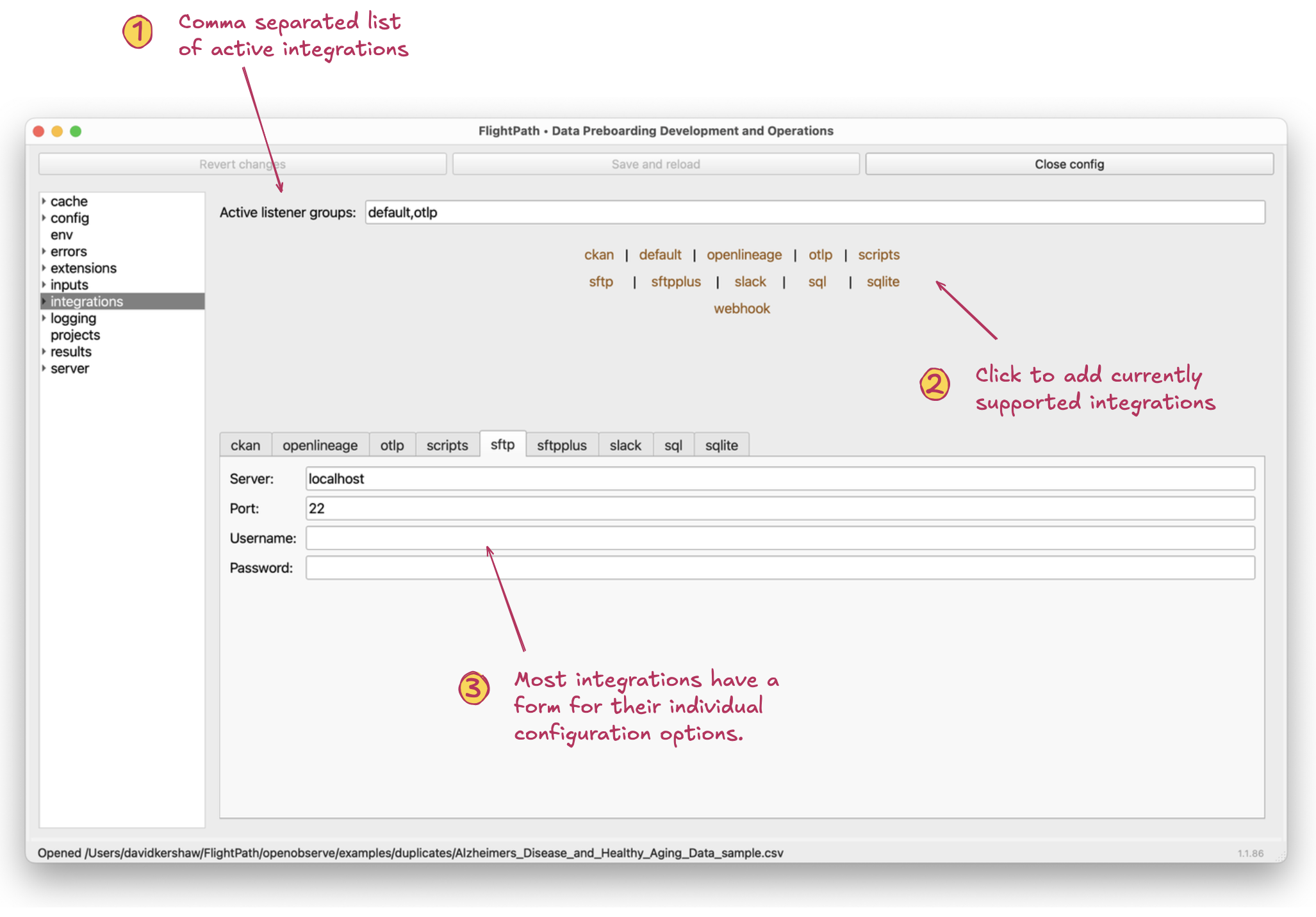
The integration form
- Active listener groups. Integrations, along with some internal CsvPath Framework functionality, operate through listeners that can be turned on and off. This setting is a comma separated list of listener groups that are active.
- Clickable listener group names. Clicking these names adds them to the active listener groups
- Integration configuration forms. Most, but not all, integrations have configuration forms for additional variables. Azure, S3, and GCS, in particular, are examples of integrations that require configuration, but which rely only on env vars, not these forms.
As you can see, the SFTP integration requires a host, port, username, and password. (Any of which can be in ALL CAPS to use variable substitution). See csvpath.org for details about the integrations and examples of how to use them:
- CKAN OpenLineage OpenTelemetry Scripts SFTP Slack SQL databases and Sqlite files Webhooks