The Find Data Dialog
The Find Data Dialog helps you find registered files and run results. It is a great way to search for data, and once you found the data you need it also provides easy access to metadata and physical file information.
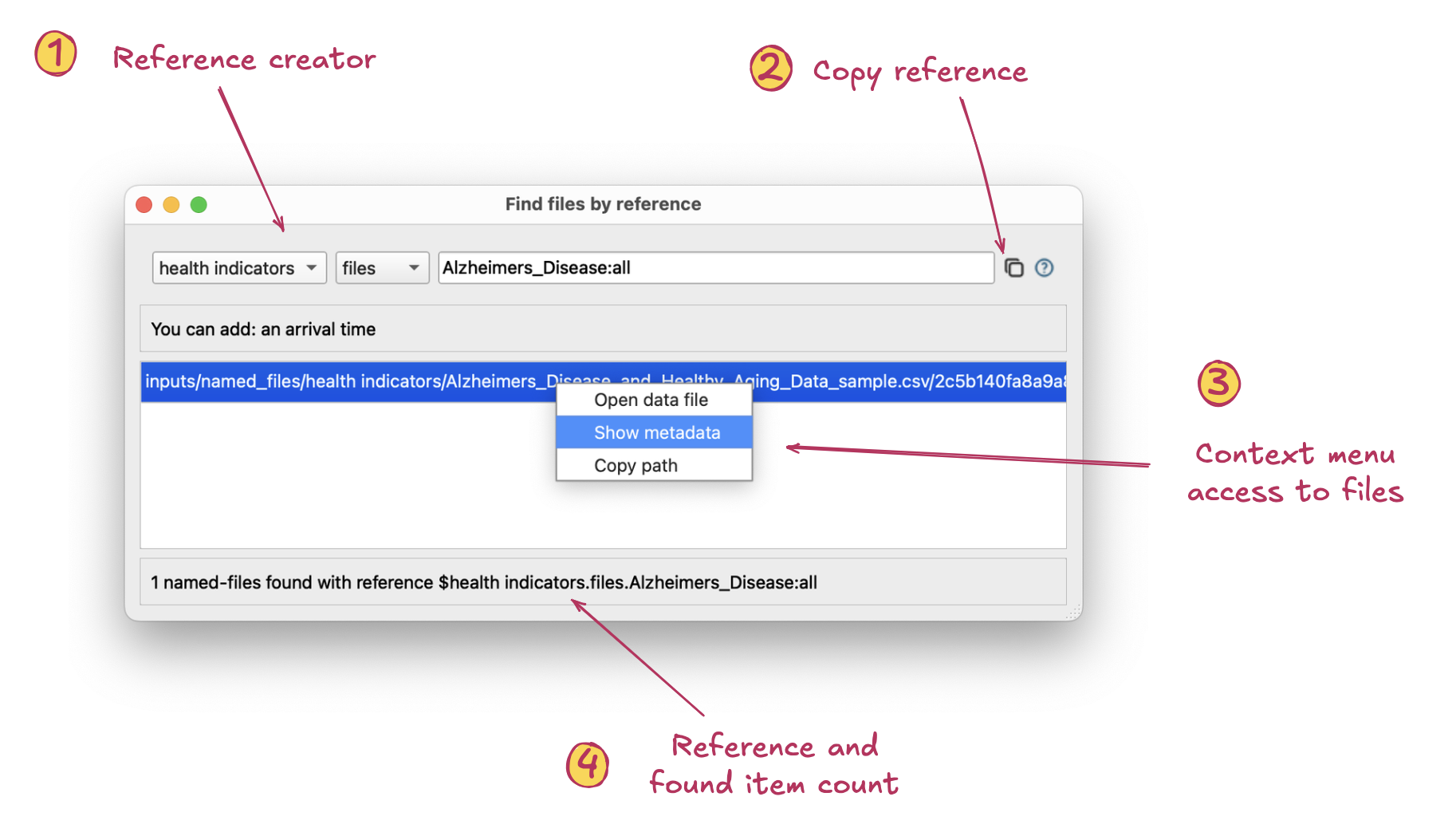
The Find Data Dialog can be opened from a named-file, from results, or from the Welcome screen
- Reference builder. This row in the dialog helps you build registered file and/or run references.
- The first part scopes the reference to a named-file name or named-paths group name, the latter indicating results from that group. Second, the drop-down scopes the reference to registered files or results Third, is the dynamic query. This can be based on combinations of path, arrival date, range, ordinal, file fingerprint and/or individual csvpath identity. Input help is available on right-click.
- Copy reference. This button copies the complete reference to the clipboard so you can easily use it elsewhere in FlightPath Data.
- Context menu access to files. Right-clicking files let’s you:
- Open metadata about the named-file or run clicked Open the physical file or result file clicked Copy the full file system path or remote URL to the item
- Reference and items found count. Shows you the reference you created and the count of files it finds.