Registration Dialogs
The Stage Data Dialog
The Stage Data Dialog enables you to register files manually. A data file is registered under a named-file, an abstract and predictable entity. The named-file entity represents the most recent file it registered. Earlier files and versions of files are available using more specific references and by browsing.
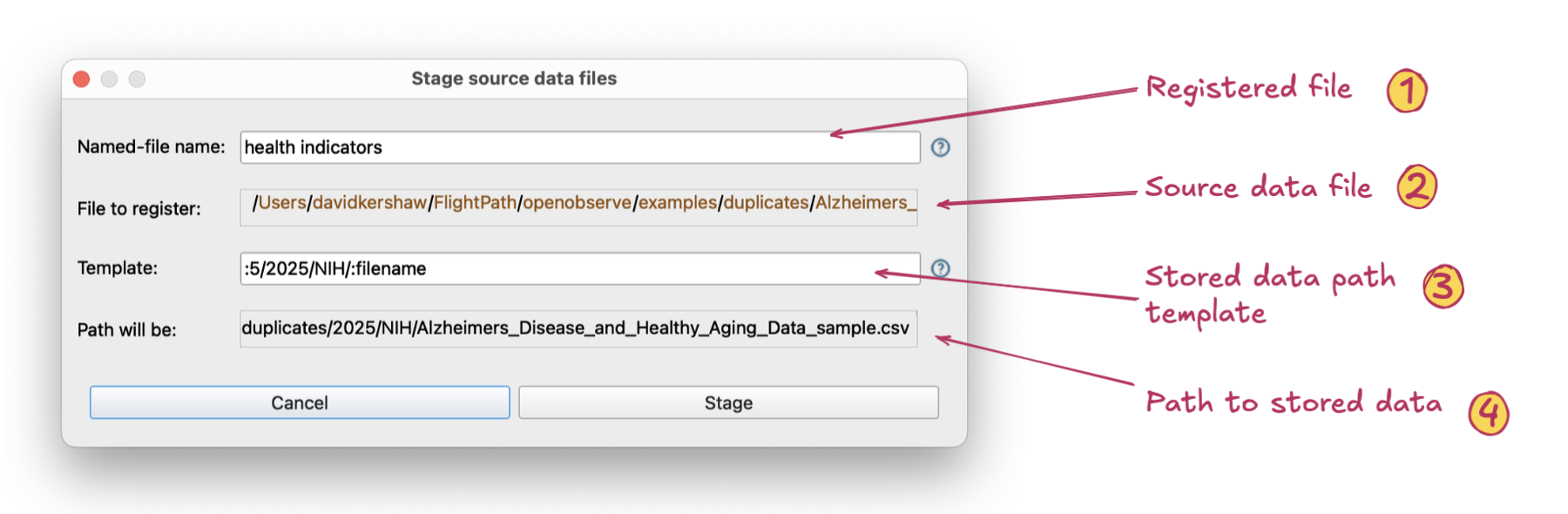
The Stage Data Dialog can be opened from a data file or any folder in the project files tree on the left
- Registered file name. A named-file is an abstract identifier for a series of file versions that take that identity in sequence as they arrive.
- Source data file path. This is the location where the physical file we are registering is found.
- Stored data path template. A template modifies how the physical file is stored within the abstract named-file folder tree. A physical file’s location may provide semantic indicators, e.g. a year or customer name, and it sets up ways different versions can be found using references. Clicking on the source file location path elements adds tokens to the template that determine dynamically where this file is stored.
- Stored data path. The path the physical file will be located at within the named-file’s directory structure
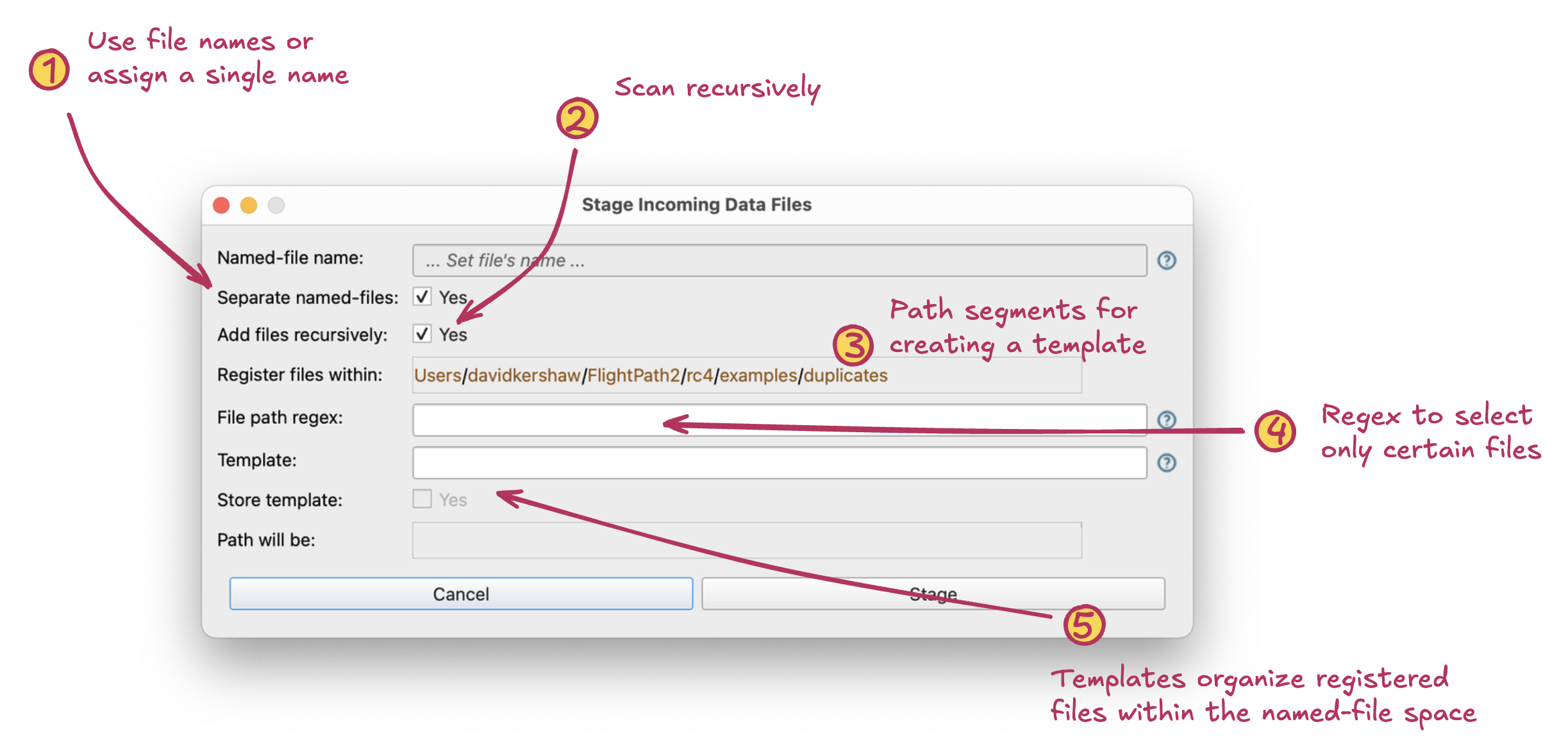
The Stage Data Dialog registers project directories with several options for finding and organizing files as they enter your named-files
- Toggle name source. The files registered can each create their own named-file using their own name. Alternatively, you can register all files under a single named-file.
- Scan recursively. Check this box to descend the directory structure looking for data files to register. If unchecked, only data files in the top-level directory are registered.
- Path segments. Templates determine the path structure of the files within a named-file. This can help you separate restated data, files from different sources, test data, and other types of files. Clicking these links adds their token to the template text box below.
- Regex. You can optionally use a regular expression to select only certain files for registration.
- Template field and preview. Templates can help FlightPath operations and may simplify integration with other systems. When the checkbox is checked the template you enter becomes the default template used for automated registrations. Below the checkbox you can see the path that the template will become for current registration.
The Stage Non-local Data Dialog
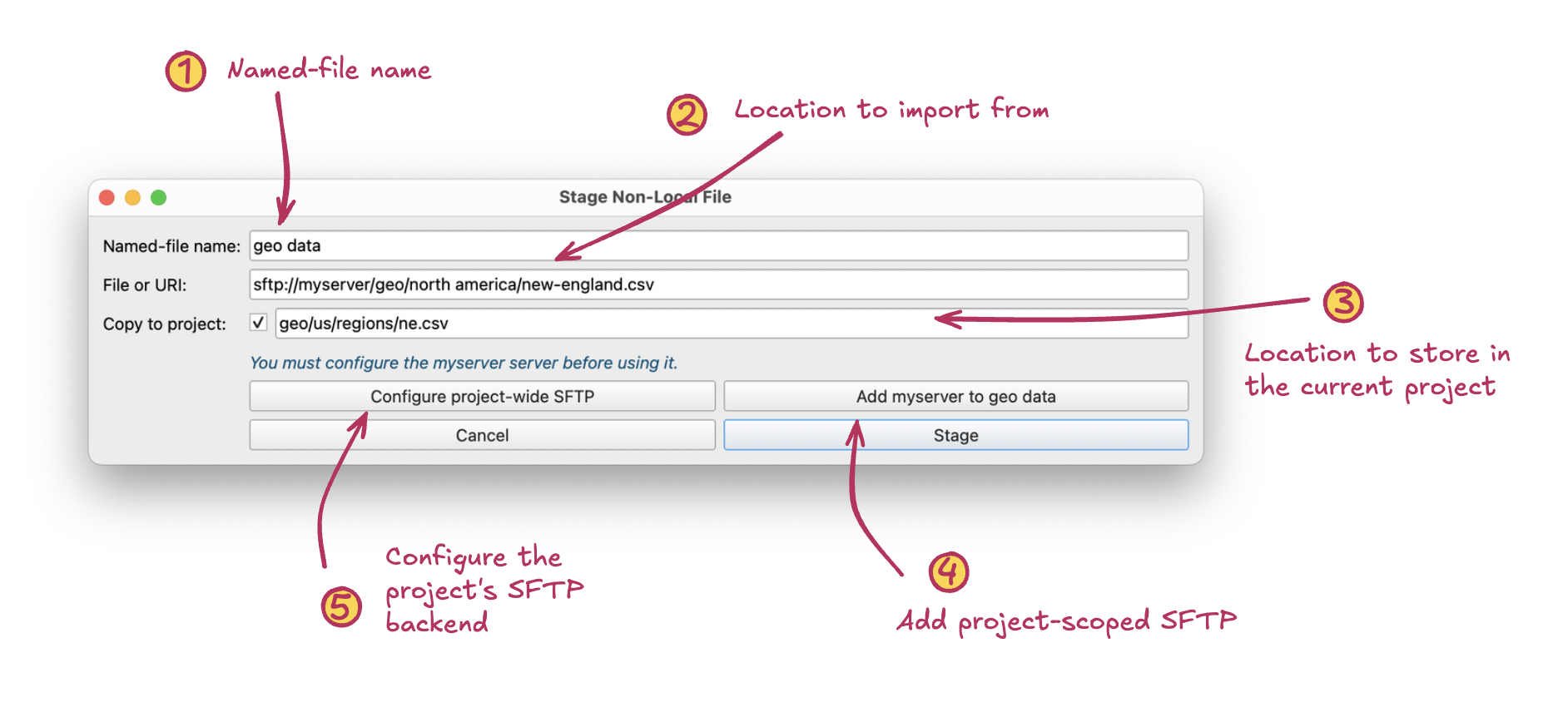
The Stage Non-local Data Dialog registers data files that are not on your local drive
- Named-file name. The file you register is staged in this named-file.
- Location. The location of the file can be in any of the backends configured for this project, regardless of if they are in use for named-files, named-paths, or the archive, or not. If the configuration is present, they can be used.
- Project location. You have the option of copying the registered file into the project workspace. It is also possible to copy the registered file back to the project later.
- Project-scoped SFTP. If your non-local file is in an unknown SFTP server these two buttons appear offering to setup a named-file-specific SFTP config or the project-wide SFTP backend config.
- SFTP backend config. A project as a whole can only have one SFTP backend; although both named-files and named-paths can have their own narrowly scoped SFTP configs. The project-wide backends are primarily used to register files, validation groups, and results.