The Logging Form
Setting up logging
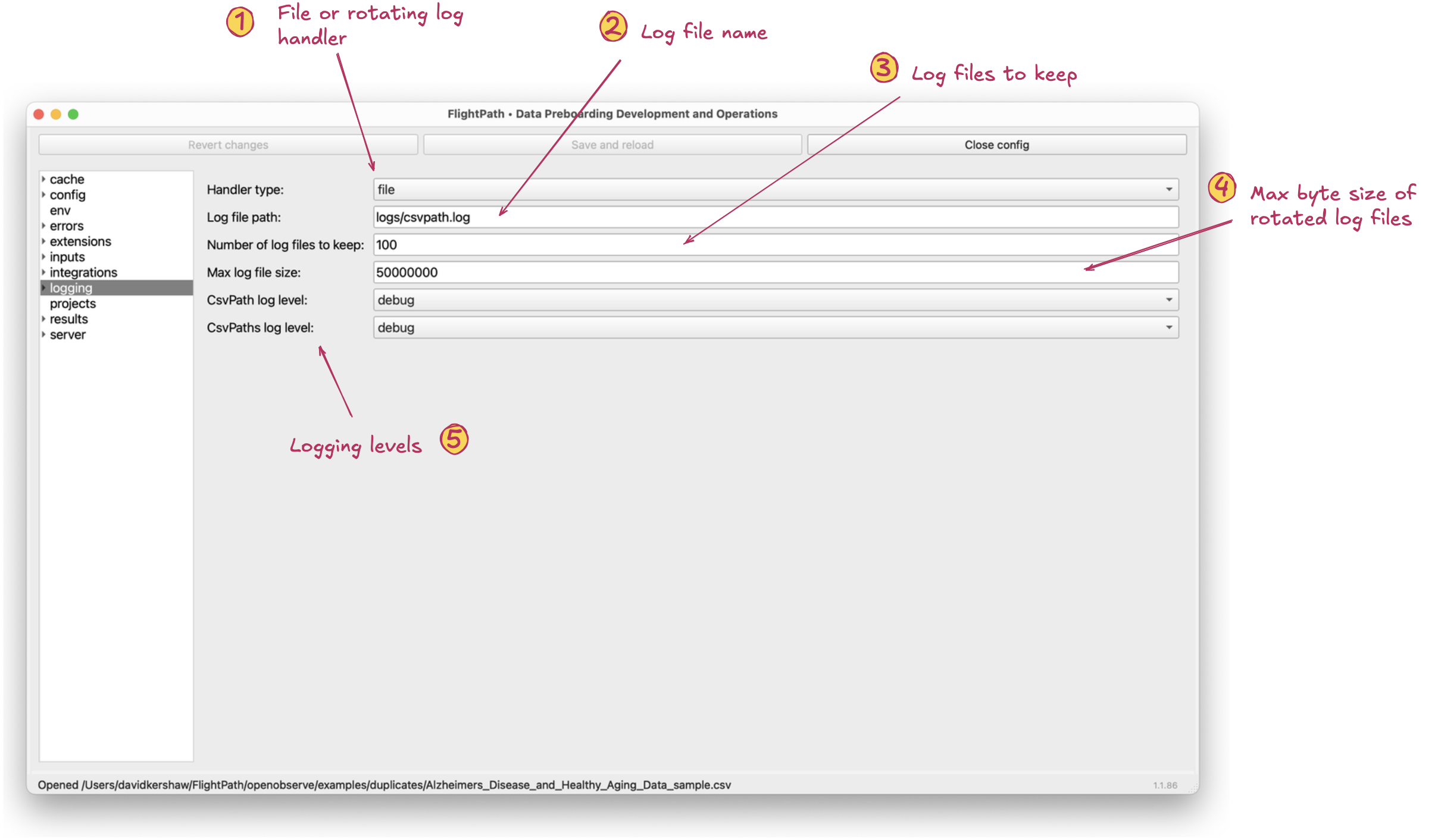
The logging form
- Handler type. Either
rotatingor plainfile. - Log file path. By default,
logs/csvpath.log. There is little advantage to changing the location and FlightPath Server only allows the default. - Number of log files to keep. Logs can get very large if you run on
debug, so pick a number appropriate to the volume you expect. - Max log file size. The default is modestly large. You may want to lower it, depending on your use case.
- CsvPath log level and CsvPaths log level. Again, these refer to the CsvPath Framework classes. The former is used for one-off csvpath runs and the latter is used for full, automated, multi-csvpath runs. You can set the logging level independently in order to focus your efforts. For example, if you have a validation concern you may only run
CsvPathat an elevated log level, rather than both. Likewise, if your concern is integrations or storage management problems you would more likely runCsvPathsat an elevated level.