How To Assign a Template To a Named-file
FlightPath gives you the ability to register files within a named-file following a certain path layout. This allows you to position files based on where they came from or to mirror the layout of another system.
Templates are used to register files at a specific path within a named-file. They can be provided at registration time, or set as a default for all registrations under the same name. You can learn more about templates on https://www.csvpath.org.
How to do it
- Navigate to your project’s
examples/schemasfolder - Right-click the directory in the project files tree on the left
- Select
Stage data - The Stage Data Dialog opens
- Uncheck
Separate named-filesand add the nameschemasto theNamed-file namefield
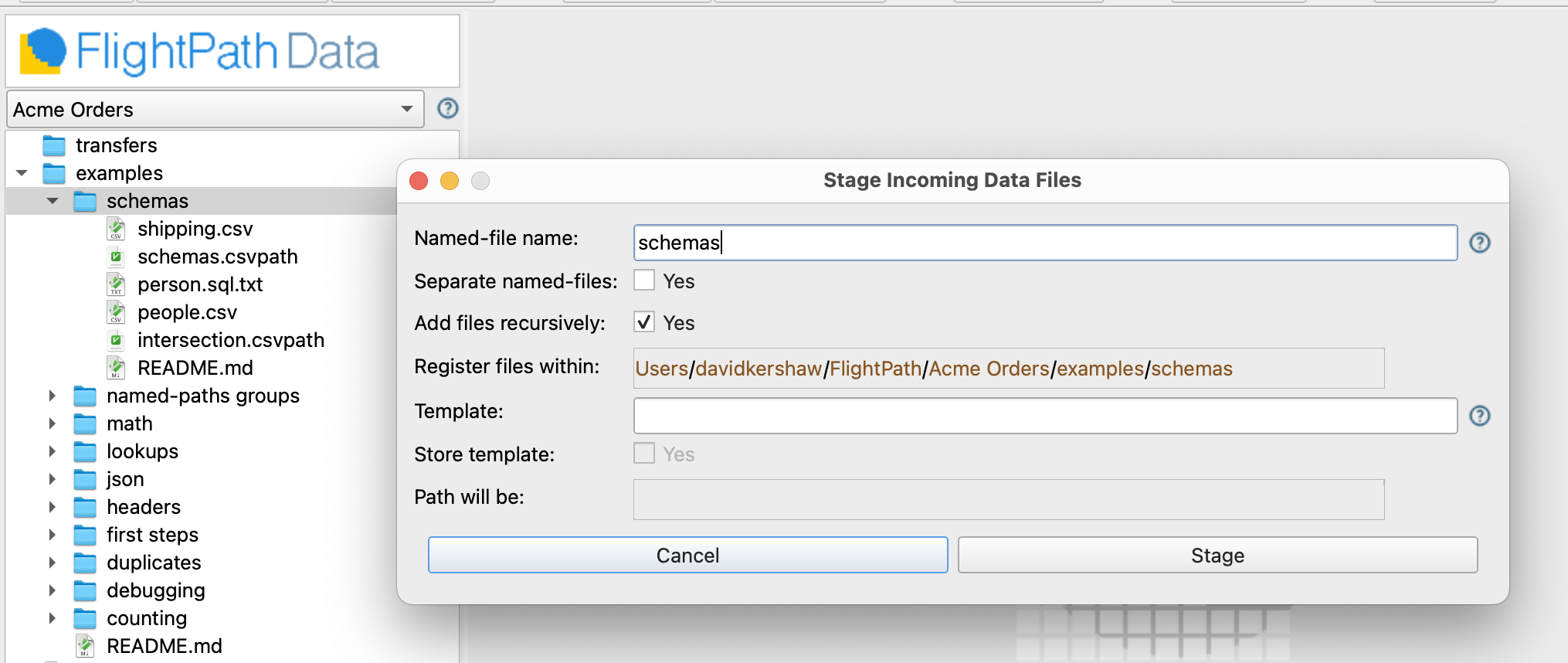
- After hitting the
Stagebutton you will see theschemanamed-file in the top right-hand window - Right-click the
schemanamed-file in the top right window. SelectSet template. - In the dialog enter a template like
:1/test/:filename, or whatever you like.
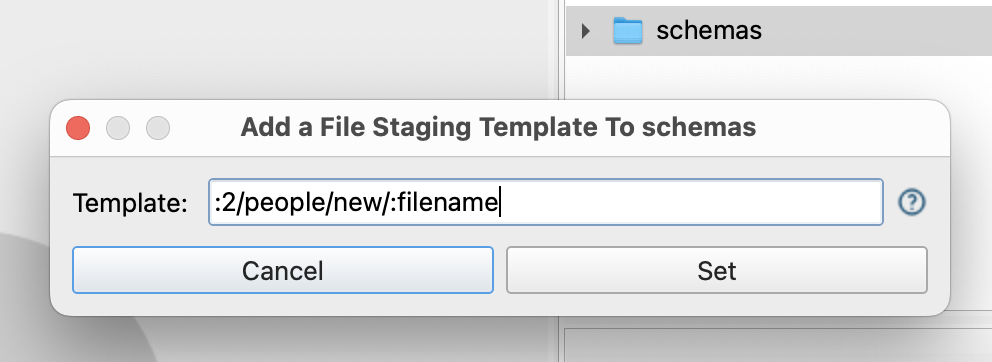
- Click the
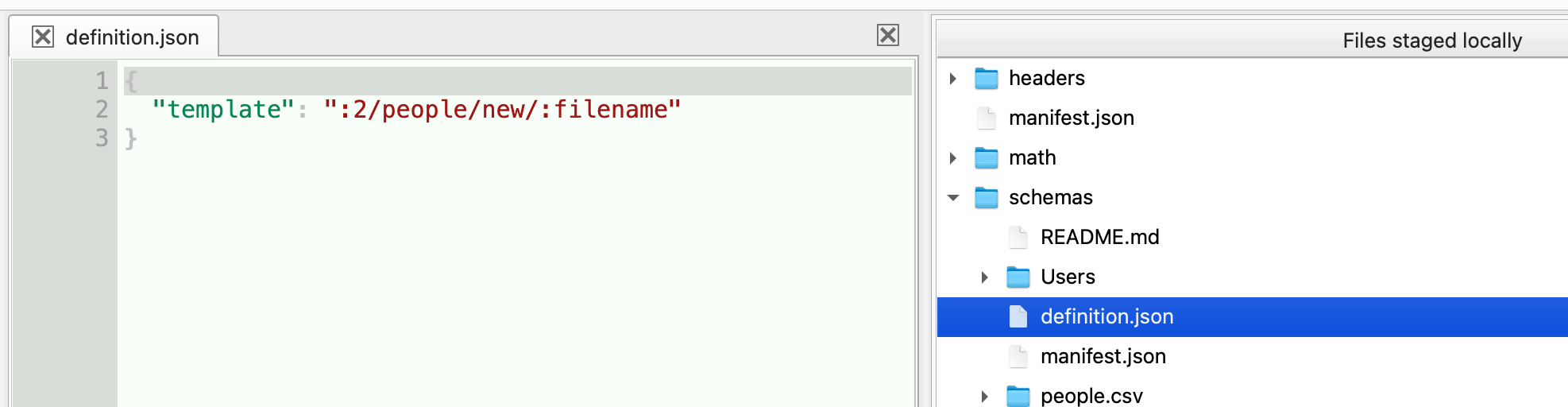
Setbutton and then check thedefinition.jsonfile to see where the template was saved