How To Trigger a Run When a File Arrives
Learn about CsvPath Framework: Find lots more information and how-tos about CsvPath Framework automating data preboarding at https://www.csvpath.org.
FlightPath enables you to easily set up an arrival activation on a named-file. An arrival activation is a trigger that runs its named-file against a named-paths group whenever new data arrives.
How to do it
- Navigate to your project’s
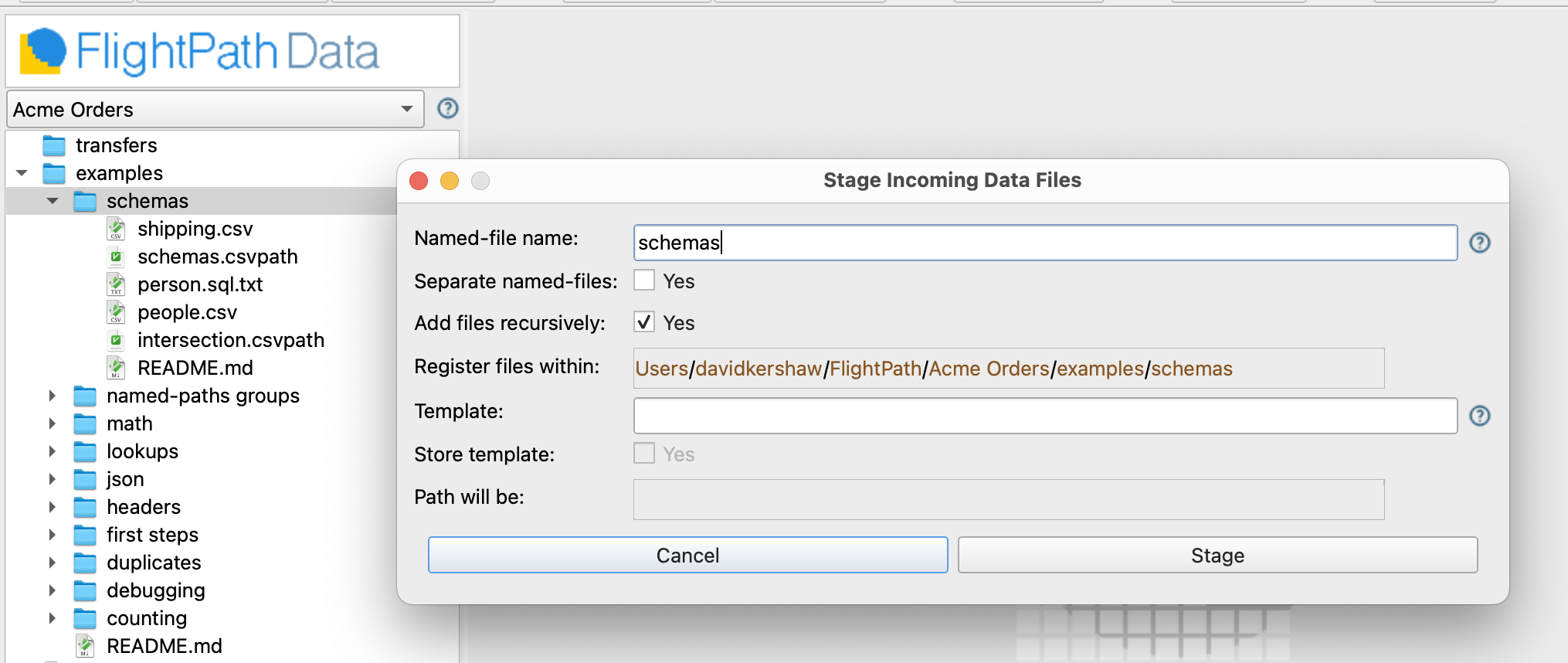
examples/schemasfolder - Right-click the directory in the project files tree on the left
- Select
Stage data - The Stage Data Dialog opens
- Uncheck
Separate named-filesand add the nameschemasto theNamed-file namefield
- After hitting the
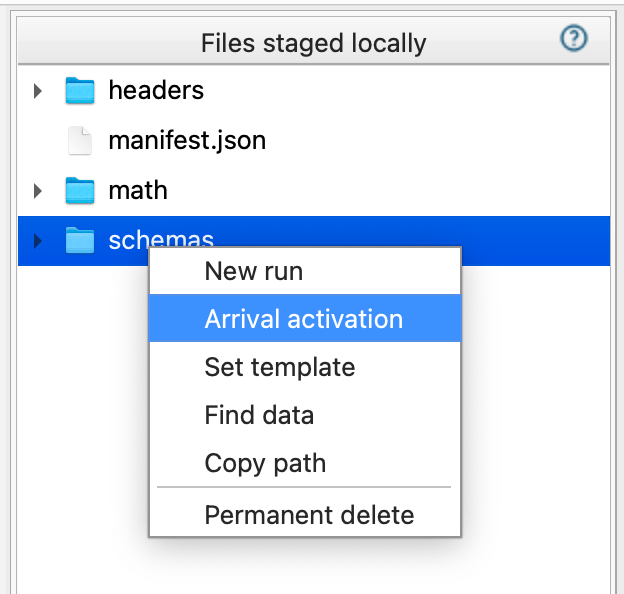
Stagebutton you will see theschemanamed-file in the top right-hand window - Right-click the
schemanamed-file in the top right window. SelectArrival activation.
- In the dialog there are two required settings:
- A named-paths group holding the csvpath statements you want to run when data arrives
- The run method that determines how your run is processed
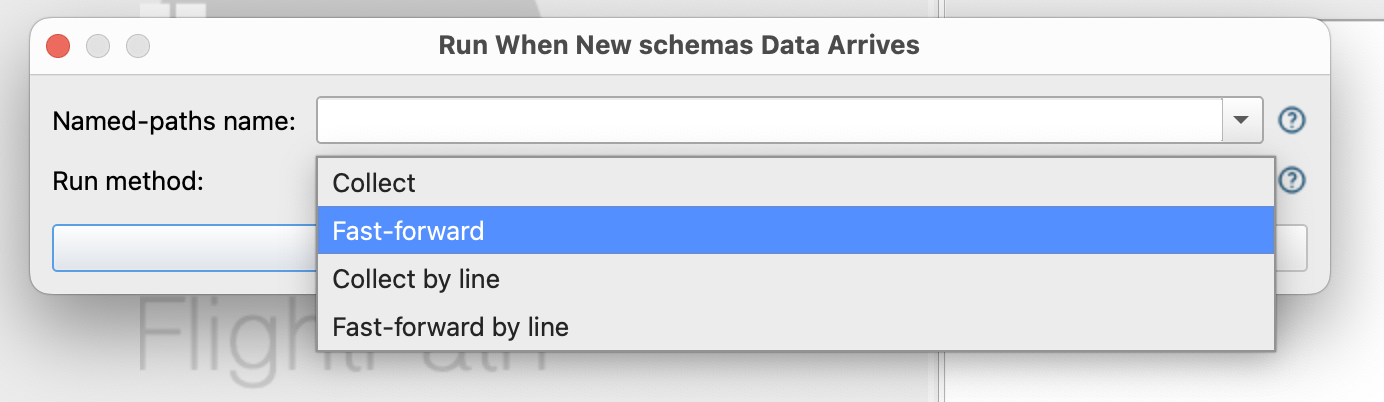
CsvPath Framework offers six run methods. FlightPath Data and FlightPath Server support four of them; the other two are for programmatic use only. The four are:
- collect_paths
- fast_forward_paths
- collect_by_line
- fast_forward_by_line
The fast forward run methods do not collect matching lines. The collect run methods do. The paths run methods apply every csvpath serially. The by_line run methods pass every line to all csvpaths in the group before starting the next line.