How To Assign Test Data To a Csvpath Statement
Learn about CsvPath Framework: Find lots more information and how-tos about CsvPath Framework automating data preboarding at https://www.csvpath.org.
A csvpath statement can be linked to a test data file so that the user running it doesn’t have to constantly pick a test file for each run. This is a FlightPath Data capability. CsvPath Framework does not have a way to link a csvpath to default test data.
There are two ways to create the connection:
- Add a
test-data:metadata field to a comment above the csvpath - Simply
ctrl-ror selectRunon the context menu and be prompted for the test data
If you do the latter, when you pick your test file, not only will the csvpath run, but FlightPath will also add the test-data: directive with the file you selected.
Add test-data: manually
- Open FlightPath and navigate to your project’s
examples/schemasdirectory - Open
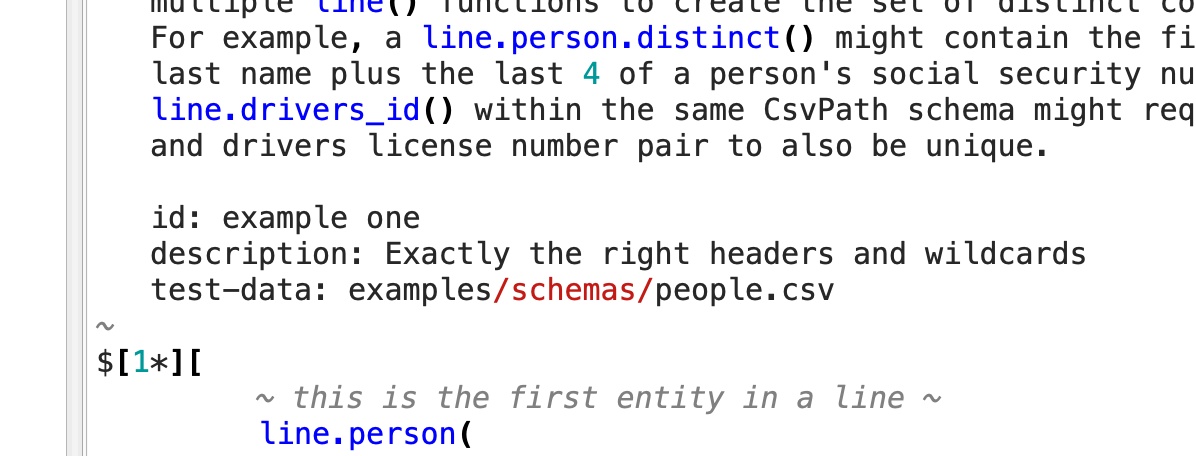
schemas.csvpaths - In the top csvpath statement, notice that there is a
test-data:directive in the first path’s leading comment
Automatically add test-data:
- Right-click on the whitespace in your project’s file tree to select the root and show the context menu
- Select
New fileand create a file namedtest.csvpath - Right-click again and create a file named
test.csv - Open
test.csvand enter a line or two of random data; whatever you like. - Open
test.csvpathand click the cursor in the csvpath - Hit
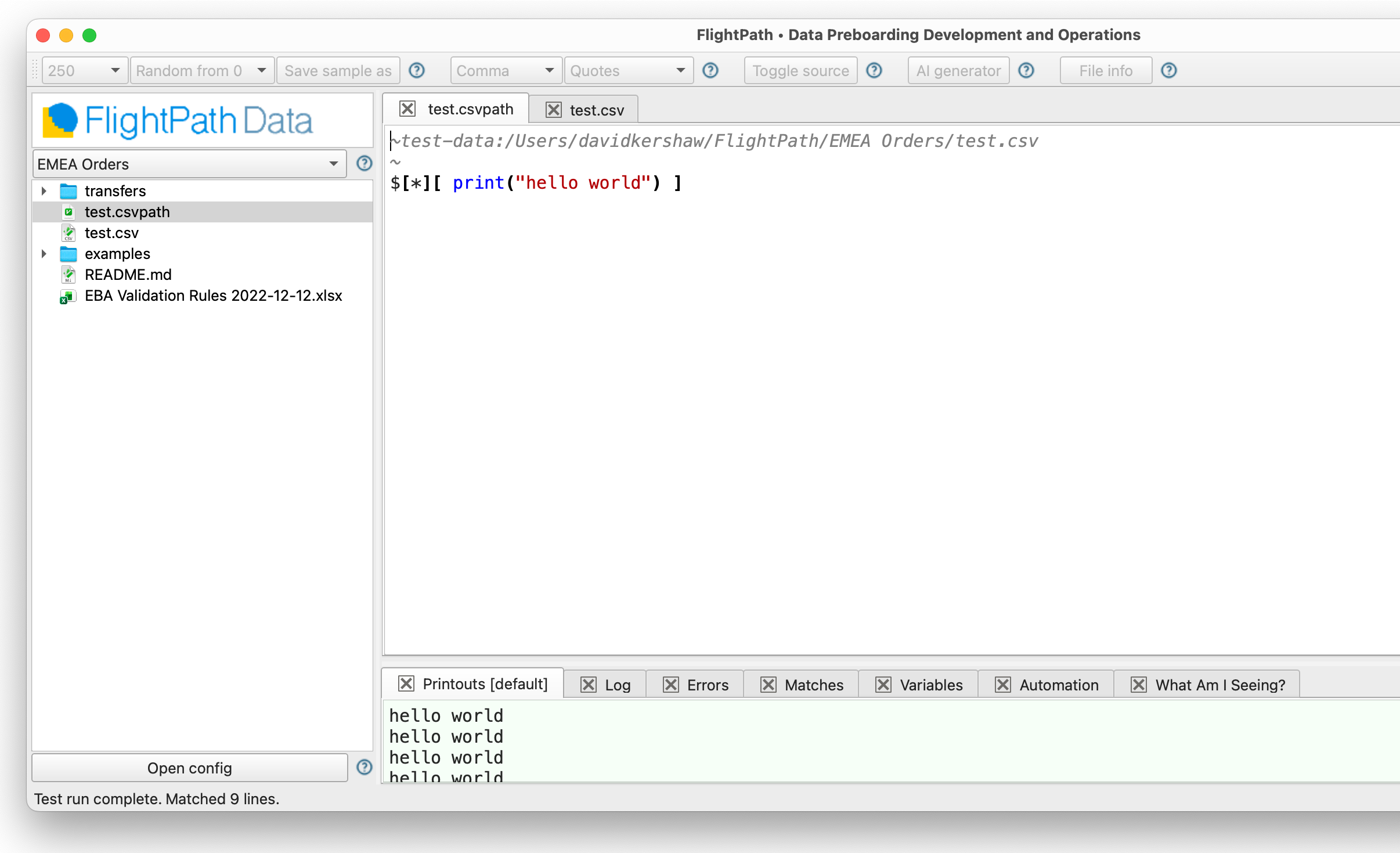
ctrl-rto run. The file finder dialog will open so you can pick a data file. Picktest.csv. - The csvpath runs and the results are available in the Help and Feedback area
- Notice that
test-data:was added to a leading comment in your csvpath file with the fully qualified path totest.csv