How To Setup an AI API
How to do it
- Open FlightPath.
- Click the
Open configbutton at the bottom left - In the Config Panel, using the vertical tabs, switch to the
llmform - Enter your chosen model in the
AI modelfield and your key in theAPI keyfield
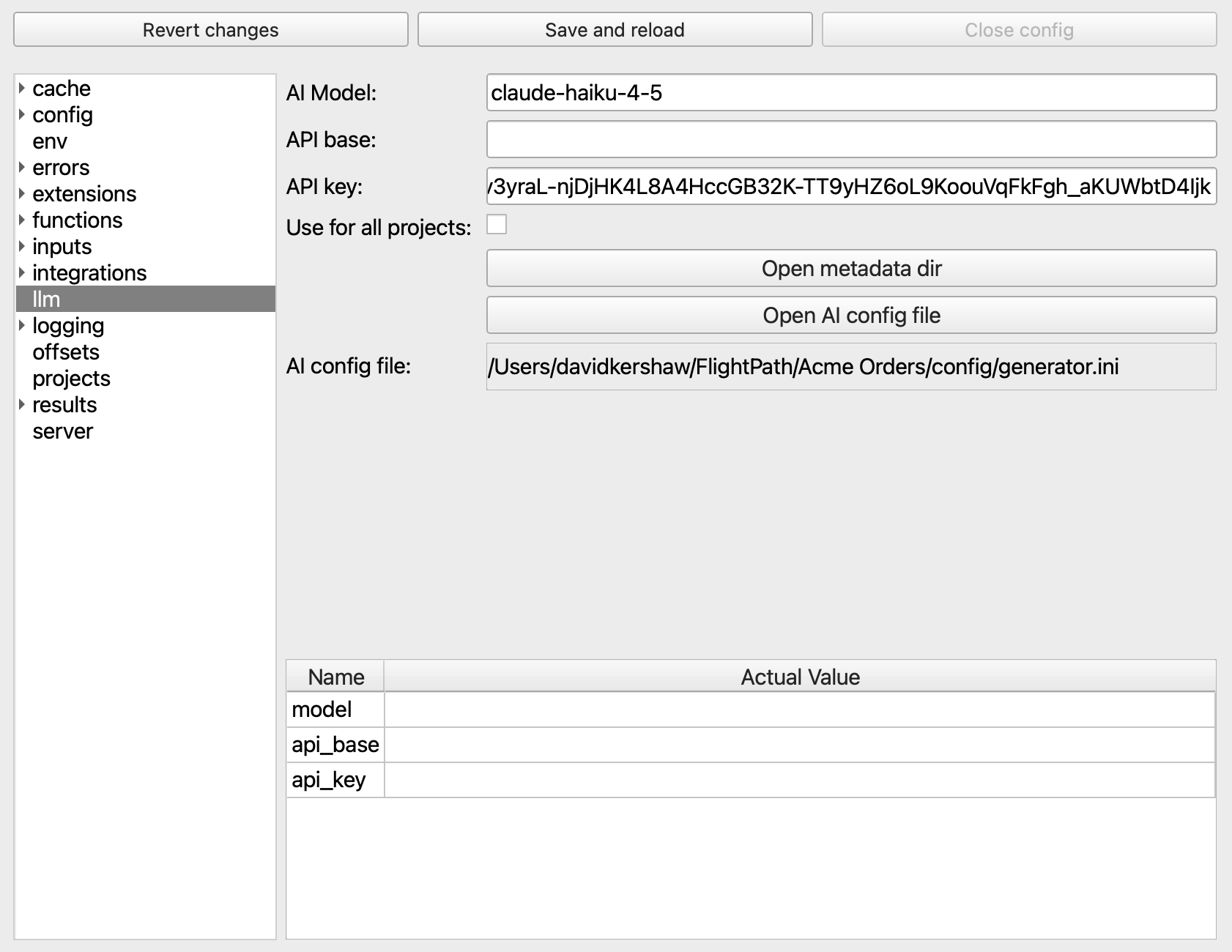
- If you want to use the same model and key in all projects, click the
Use for all projectscheckbox - Click
Save and reloadat the top of the panel
Not all AI APIs require an API base address or a key. If you are using a local model server you won’t need a key. If you are using one of the well-known and recommended models, Claude, Gemini, and GPT, you won’t need an API base.
FlightPath is tested on a small number of well-known models, primarily Claude, Gemini, and OpenAI’s GPT. Tests on several other models, including local models on Ollama, are done; however, the results have generally been inferior to the three primary models.