✨ Data Profiling and Sampling
Profiling report
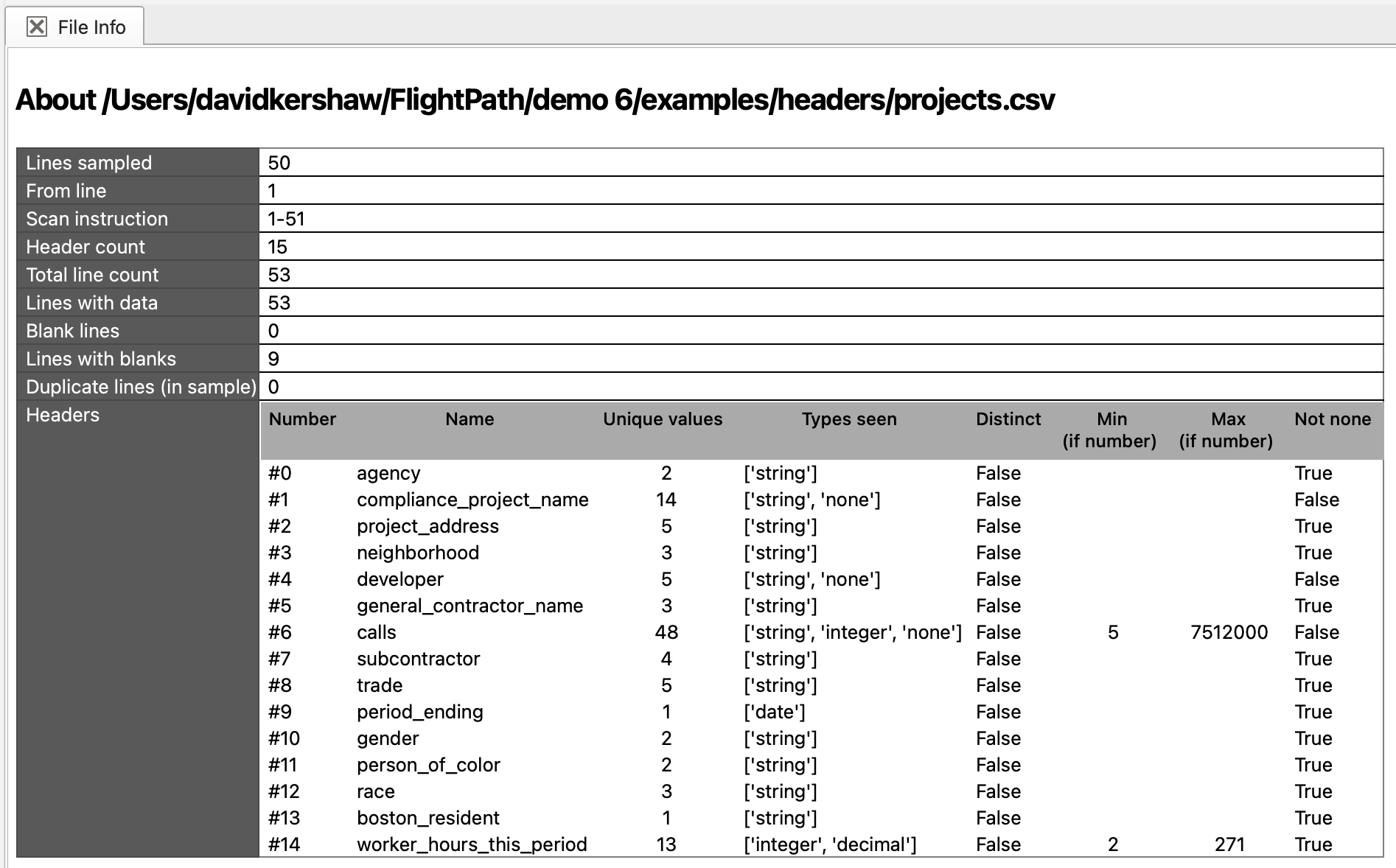
FlightPath Data’s profiler inspects CSV, JSONL, or Excel files to give you a better understanding of your data. Click the File info button on the data view’s toolbar.

The feedback window will open below to give you file information and data statistics about the file.
Sampling
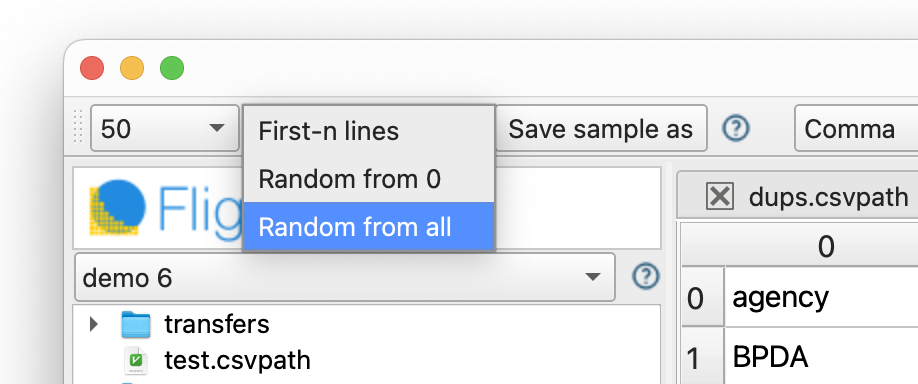
Agile development demands sampled data for quick iterations. Likewise, robust quality control requires crafting known-good/known-bad test sets. The data toolbar gives you sampling tools to quickly take a cut of your data.
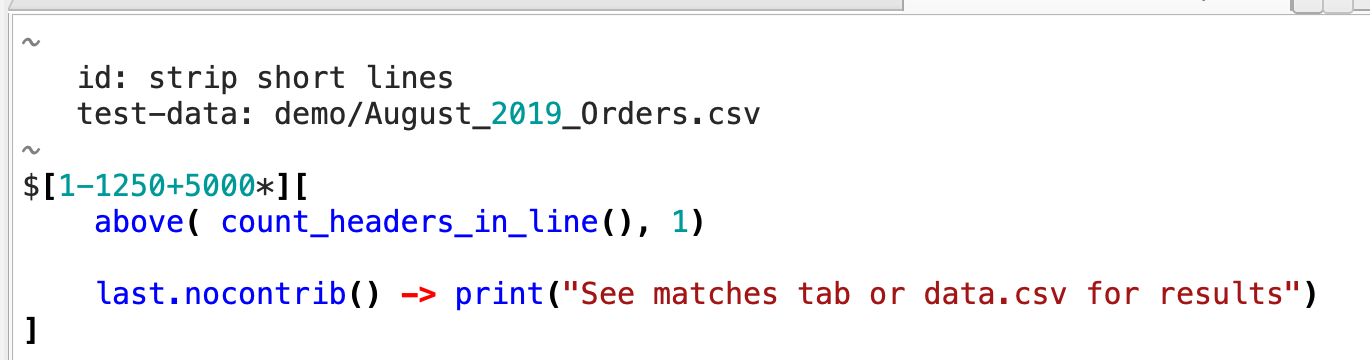
Also don’t forget that you have the option to specify what lines CsvPath Framework will scan in any file using scanning instructions. For example, this csvpath includes scanning instructions that say to evalutate lines 1 to 1250 plus all lines from line 5000 to the end of the file.
Copy-to
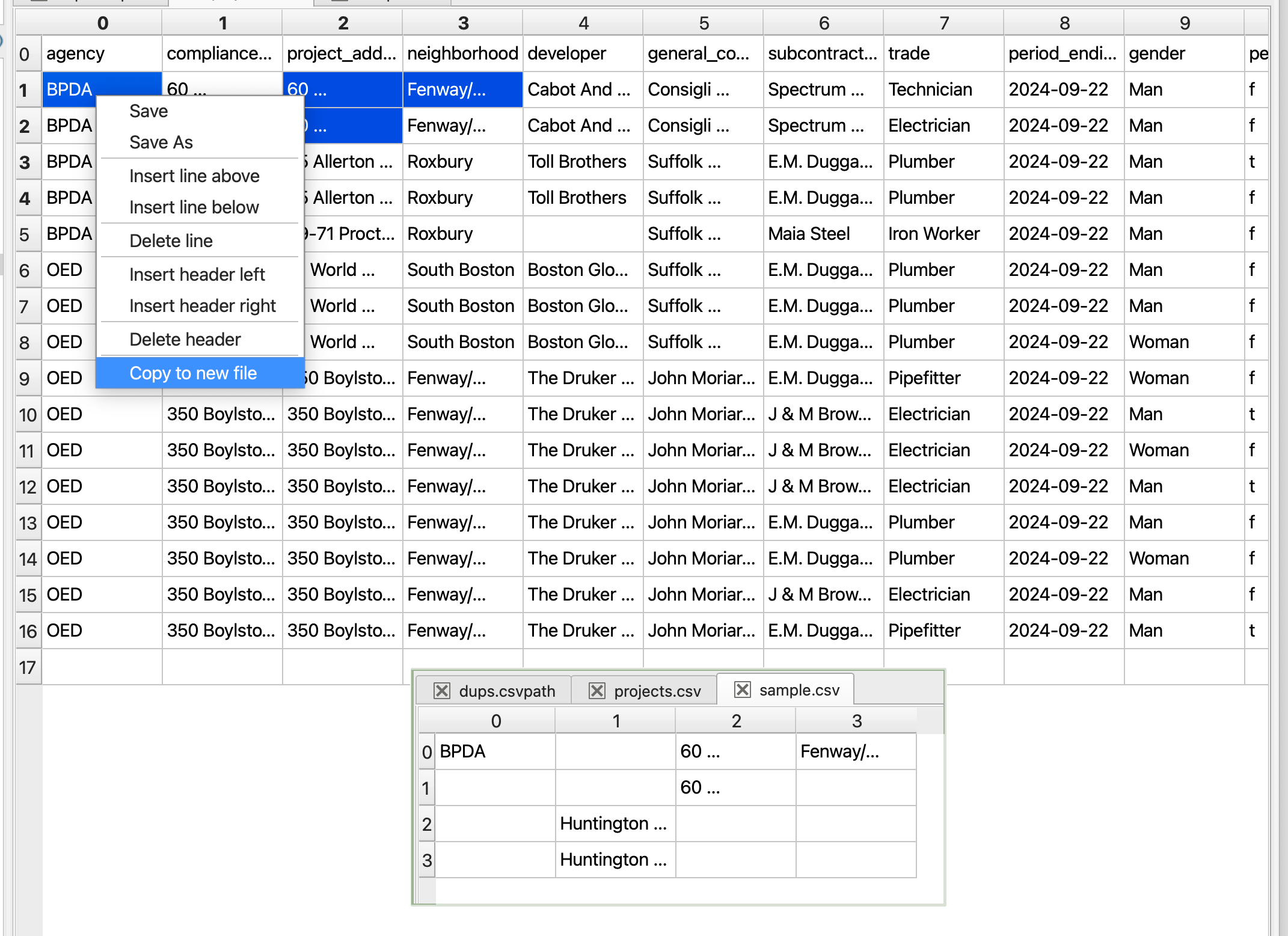
Quickly copy data of any shape from a source file to a new sample file.
Save results as a sample
After a test run, right-click on the Matches tab to save the results as a sample file for further iteration.
