🔰 The FlightPath Data UI: The Dialogs
A small number of dialogs deliver big preboarding features
Register files dialog
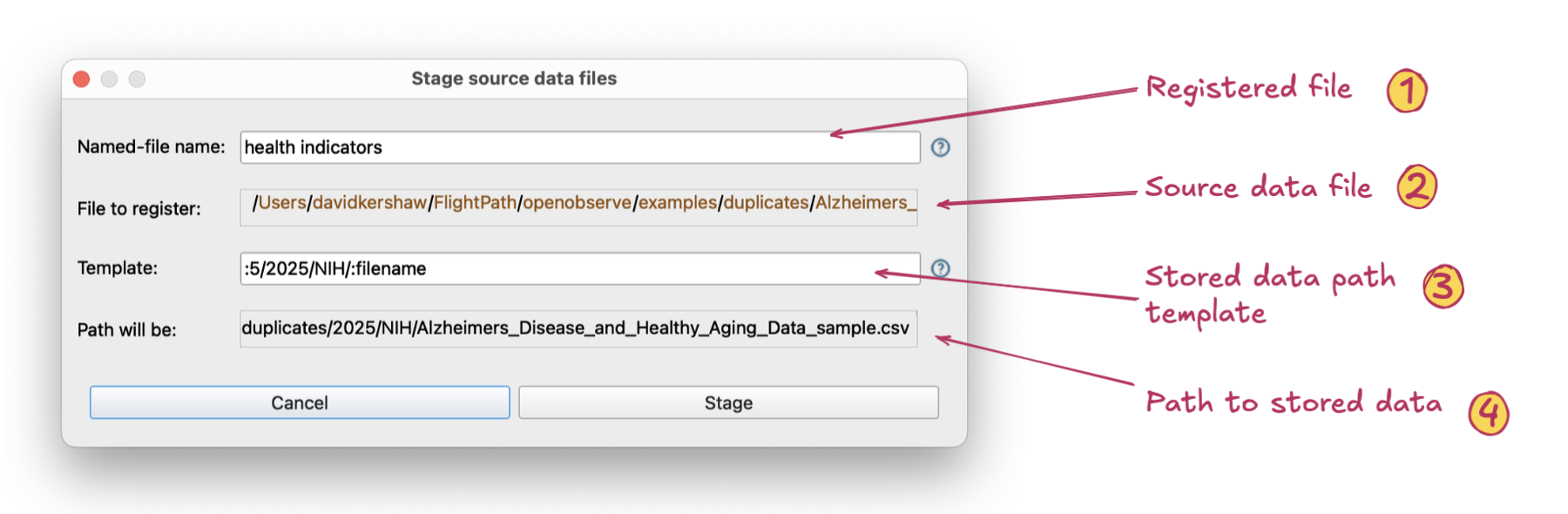
The find data dialog helps you find registered files and run results
- Registered file name. A named-file is an abstract identifier for a series of file versions that take that identity in sequence as they arrive.
- Source data file path. This is the location where the physical file we are registering is found.
- Stored data path template. A template modifies how the physical file is stored within the abstract named-file folder tree. A physical file’s location may provide semantic indicators, e.g. a year or customer name, and it sets up ways different versions can be found using references. Clicking on the source file location path elements adds tokens to the template that determine dynamically where this file is stored.
- Stored data path. The path the physical file will be located at within the named-file’s directory structure
Load validation scripts dialog
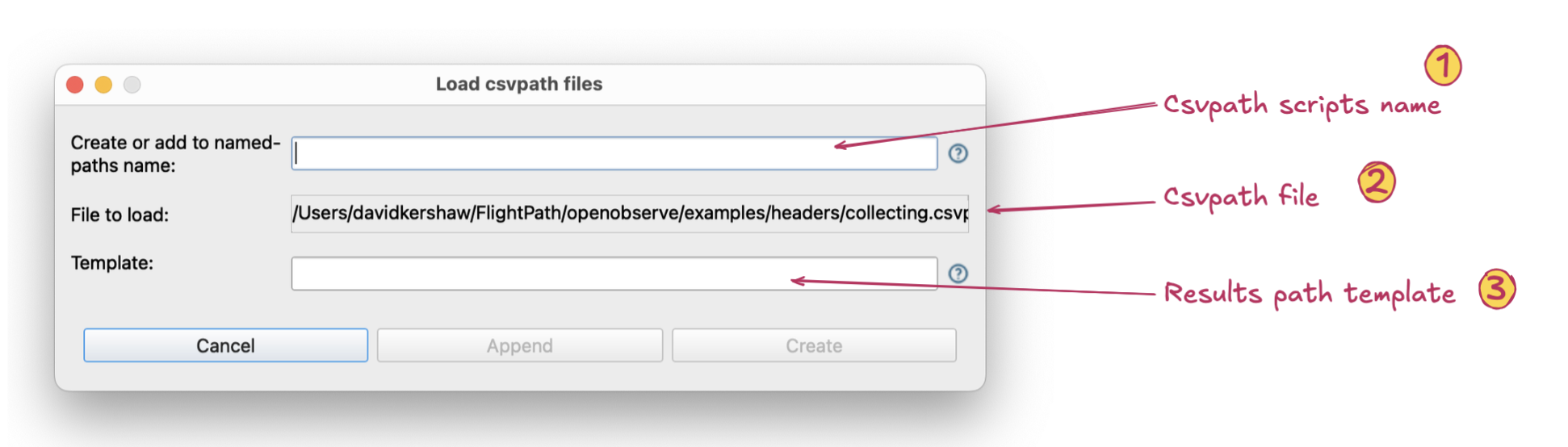
The find data dialog helps you find registered files and run results
- Csvpath scripts group name. A named-paths group is a group of csvpaths that validate and/or upgrade data files. Each group has a name and each csvpath within the group has its own name, sometimes called its identity.
- Csvpath scripts file or JSON pointers file. Named-paths group can be created from a file with one or more csvpaths or from a simple JSON dict,
definition.json, that maps a name to a list of csvpath files. When the csvpaths are added to the named-paths group they are bundled into onegroup.csvpathsfile. - Results path template. A template determines the location of a run’s home directory, sometimes called its run_dir. The template can have dynamic path segments, :1, :2, etc., that map to the location of the physical source data file’s original location. This way if a file arrives in a directory called
/data/acme inc/2025you can use2025in the results path dynamically.
Run dialog
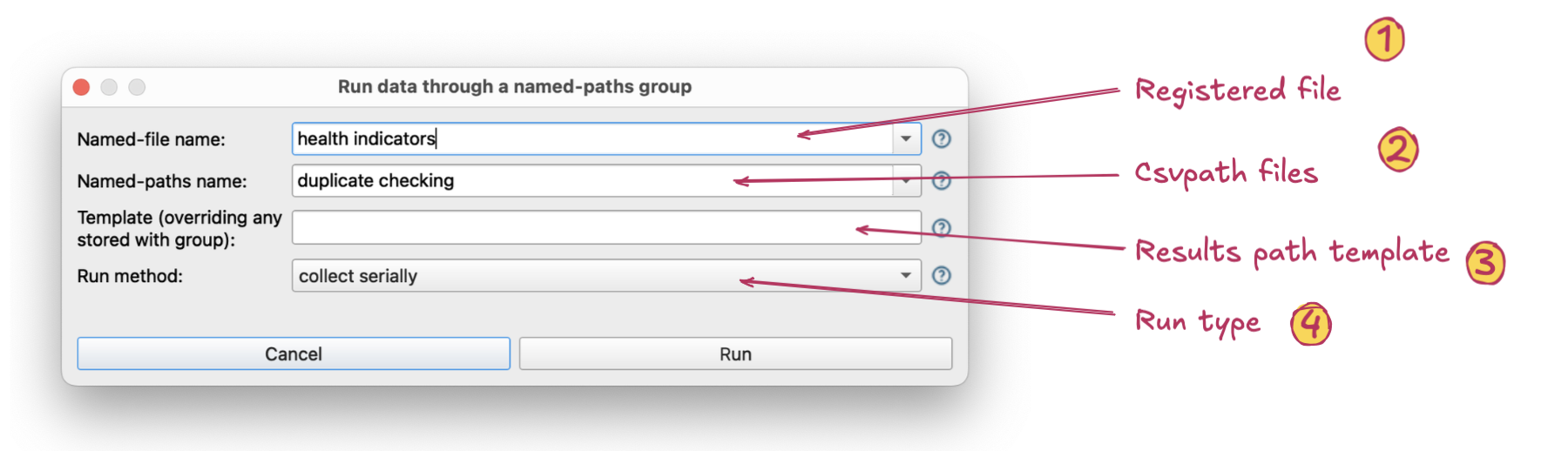
The find data dialog helps you find registered files and run results
- Registered file name. The named-file name or a more specific dynamic reference picking out one or more registered files within a named-file. If the plain named-file name is used the last file registered will be run.
- Csvpath scripts name. The named-paths group name or a more specific reference to one or more csvpath statements in the named-paths group. If a reference is provided, only those csvpaths specifically indicated are used in the run.
- Results path template. This is the same capability to define a dynamic location for the results within the abstract named-paths group name the live under. If a template was added to the named-paths group definition this field would override it. A dynamic template can position results in a way that makes them easy to browse or query using references, or to match a downstream consumer’s requirements.
- Type of run. There are four types of runs. Two are serial, where csvpaths in the named-paths group are run one after another. Two are breadth-first, where each line of data passes through every csvpath in the group before the next line is processed. These options are covered in more depth on csvpath.org.
Find data dialog
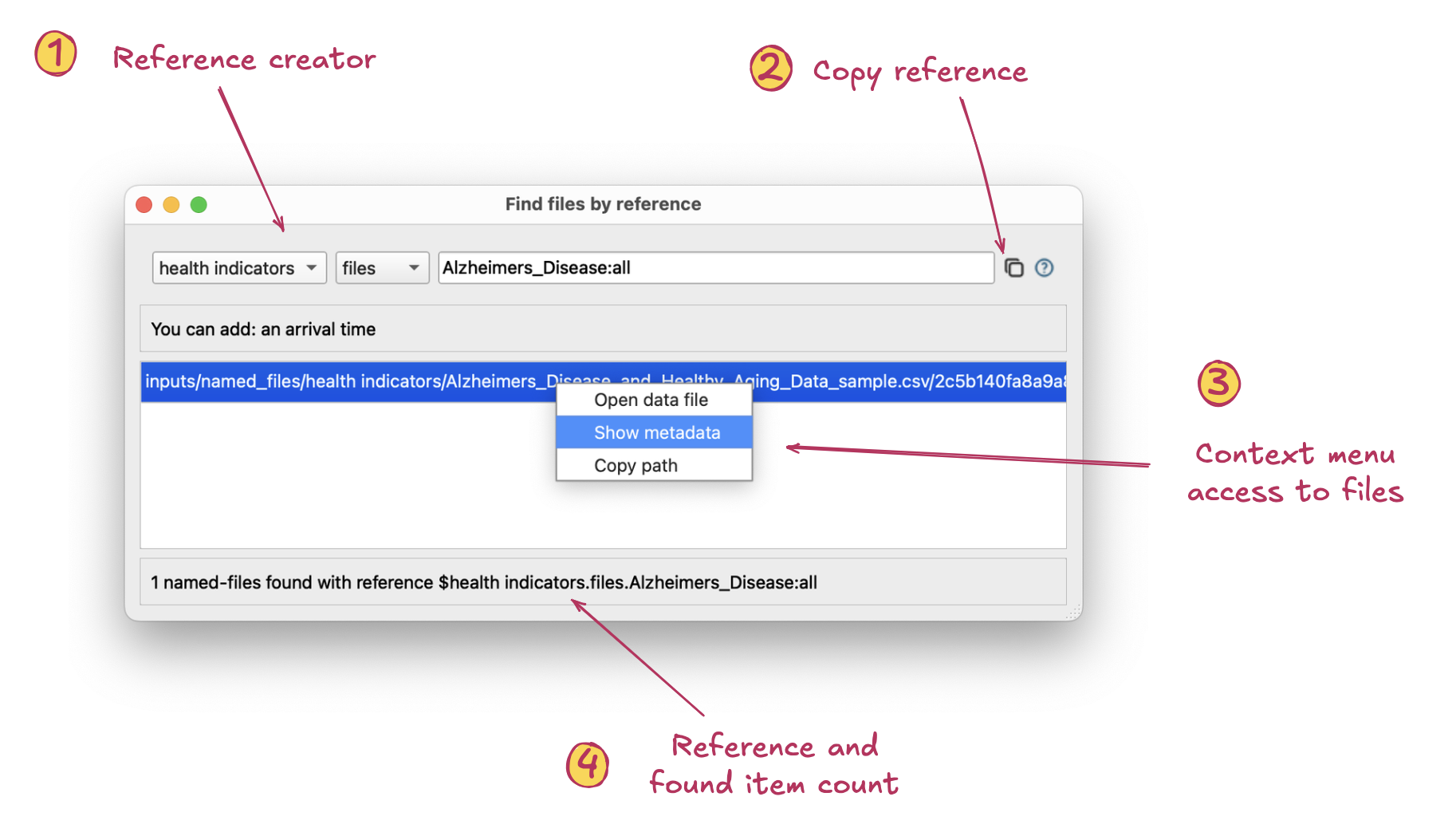
The find data dialog helps you find registered files and run results
- Reference builder. This row in the dialog helps you build registered file and/or run references.
- The first part scopes the reference to a named-file name or named-paths group name, the latter indicating results from that group. Second, the drop-down scopes the reference to registered files or results Third, is the dynamic query. This can be based on combinations of path, arrival date, range, ordinal, file fingerprint and/or individual csvpath identity. Input help is available on right-click.
- Copy reference. This button copies the complete reference to the clipboard so you can easily use it elsewhere in FlightPath Data.
- Context menu access to files. Right-clicking files let’s you:
- Open metadata about the named-file or run clicked Open the physical file or result file clicked Copy the full file system path or remote URL to the item
- Reference and items found count. Shows you the reference you created and the count of files it finds.